

Variant Selector
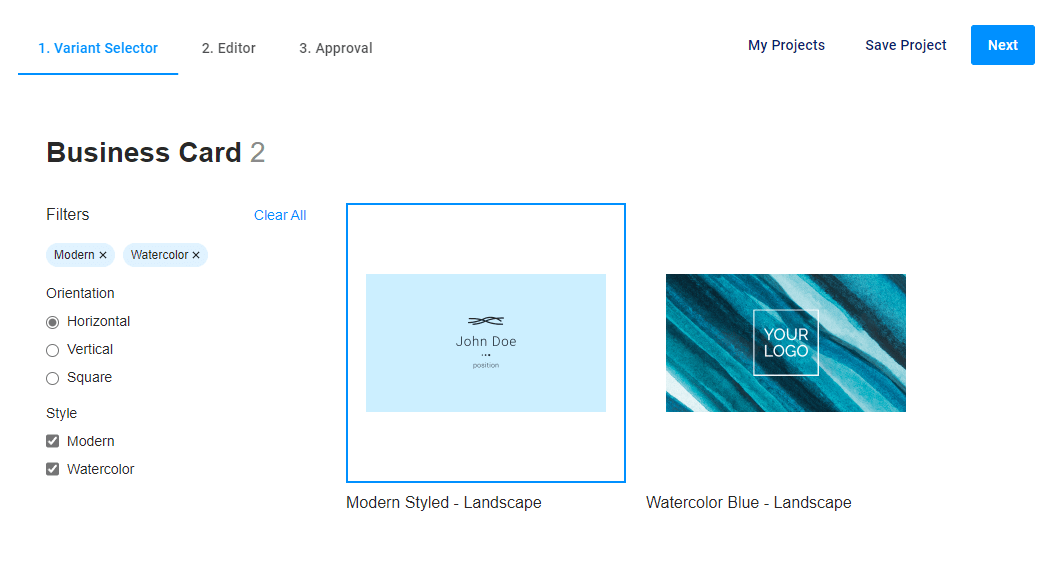
The variant-selector widget shows PIM product variants with designs and allows you to select one of them for personalizing.
{
    "name": "product-variants",
    "type": "variant-selector",
    "params": {...}
}
This is an initial widget embedded in a separate step in the mainPanel. After the user selects one of the variants, its data can be obtained in the selectedVariant property.
Defining Parameters
This widget uses a product ID, a product version ID, and a product filter ID (a link) to show product variants and designs.
When you create a widget to display variants for an e-commerce product, you can define variables in your workflow using the {||} syntax. In this case, the value enclosed in brackets will be processed by the BackOffice API, and it will receive the data of the product linked to the e-commerce product via the product link.
{
    "vars": {
        "pimProductId": "{| Product.id |}",
        "pimProductVersionId": "{| Product.productVersionId |}",
        "pimProductFilterId": "{| Product.productFilterId |}"
    },

    "widgets": [
        {
            "name": "variant-selector",
            "type": "variant-selector",
            "params": {
                "productId": "{{ vars.pimProductId }}",
                "productVersionId": "{{ vars.pimProductVersionId }}",
                "productFilterId": "{{ vars.pimProductFilterId }}"
            }
        }
    ]
}
When you don't use linked e-commerce products, then you can pass your product params to variant-selector through attributes.
Params
| Name | Type | Description | Default value |
|---|---|---|---|
productId | number|string | Product ID defined in BackOffice | |
productVersionId | number|string | (Optional). Product version | undefined |
productFilterId | number|string | (Optional). Product link ID | undefined |
onDoubleClick | function | (Optional). A function or array of functions that will be executed when an item is double-clicked | null |