

Configuring IIS and ASP.NET Modules
To run the Design Editor and other Aurigma's applications, set up your server as follows:
-
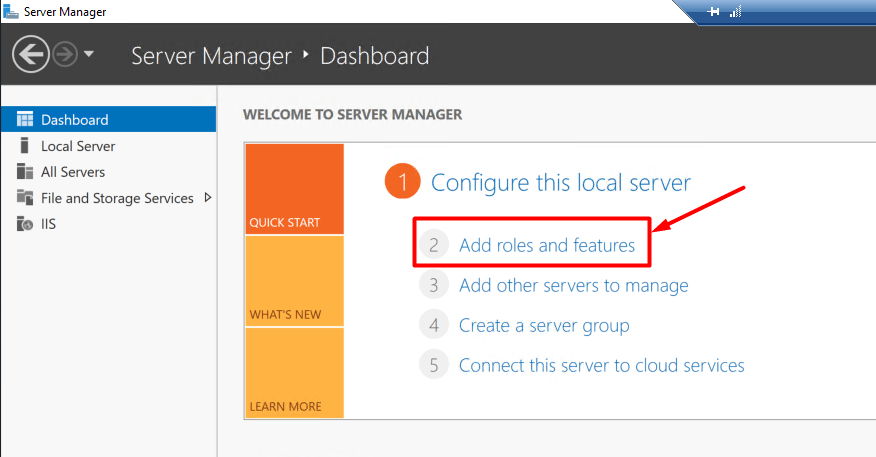
Run the Server Manager and click Add roles and features.
-
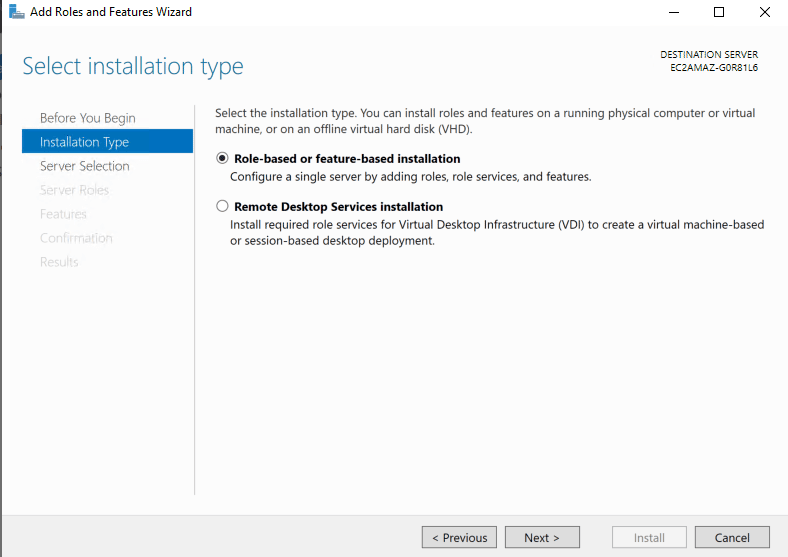
Click Role-based or feature-based installation and click Next.
-
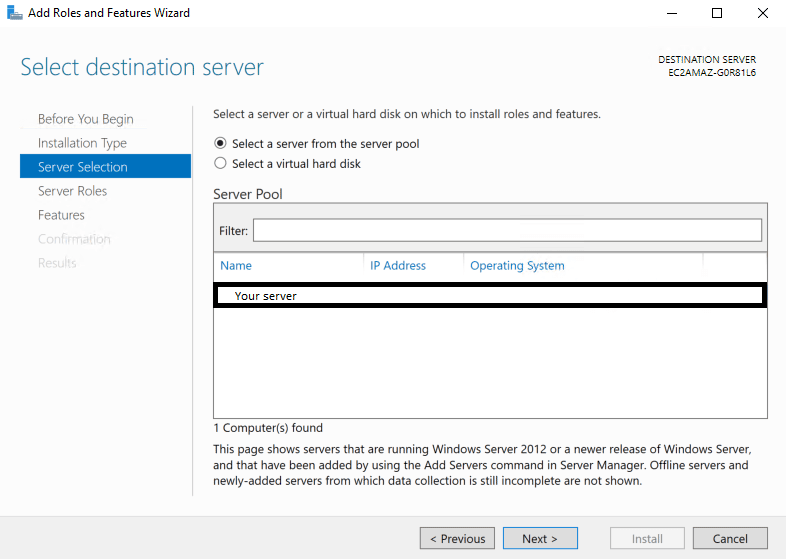
Select your server from the server pool (most likely you will have only one to choose from).
-
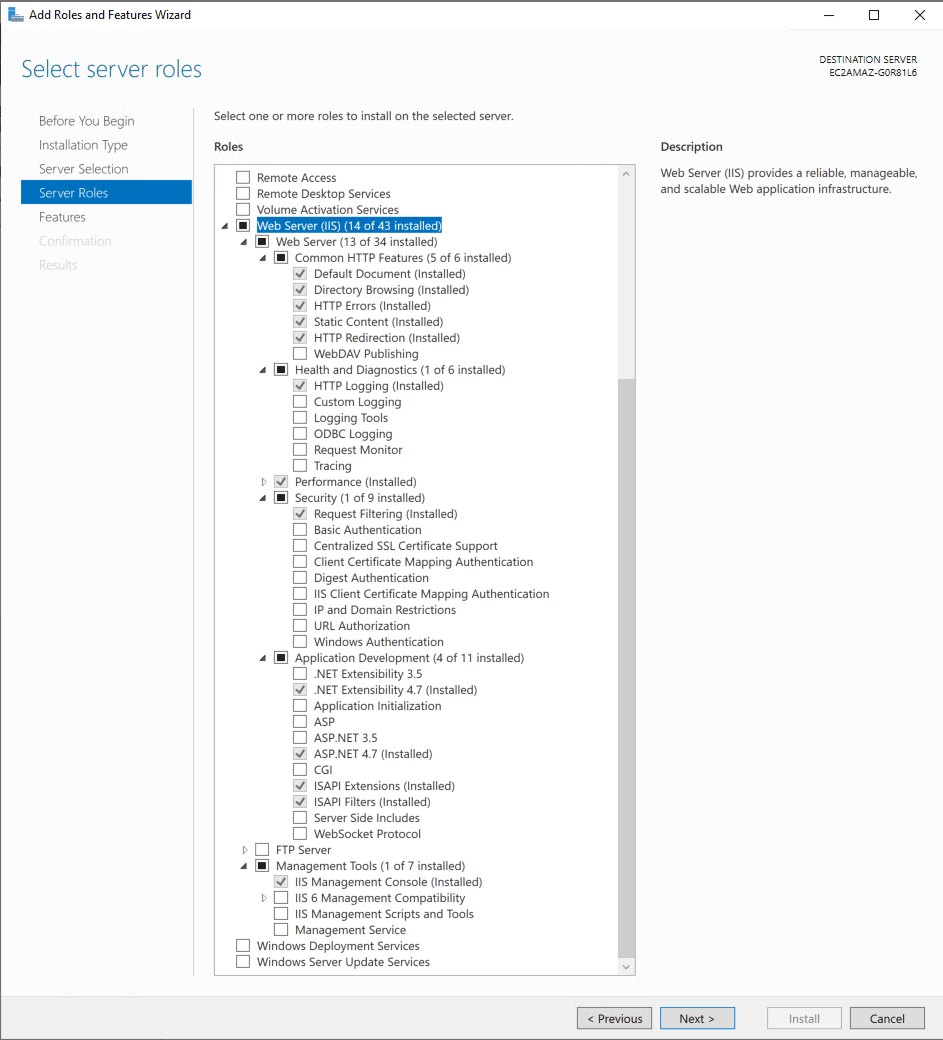
Select the following roles in the Web Server (IIS) category and click Next.
-
Verify that the required features were pulled up based on role dependencies and click Install.