

Connecting documents to PIM products
You can link any document to a PIM product. During personalization, these documents can be retrieved through the API and processed in a special way.
To connect a document to a PIM product:
-
In your Customer's Canvas account, navigate to Products and click a product in the list.
-
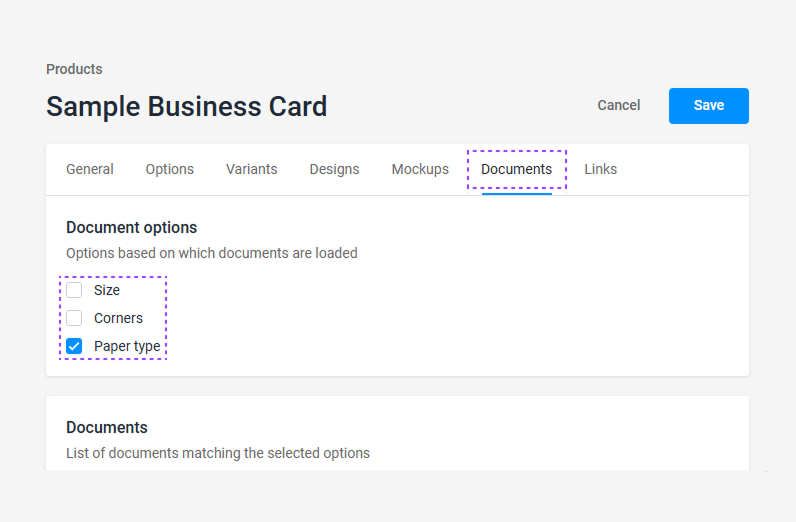
In the product settings, click the Documents tab, select relevant options, and click Save.
-
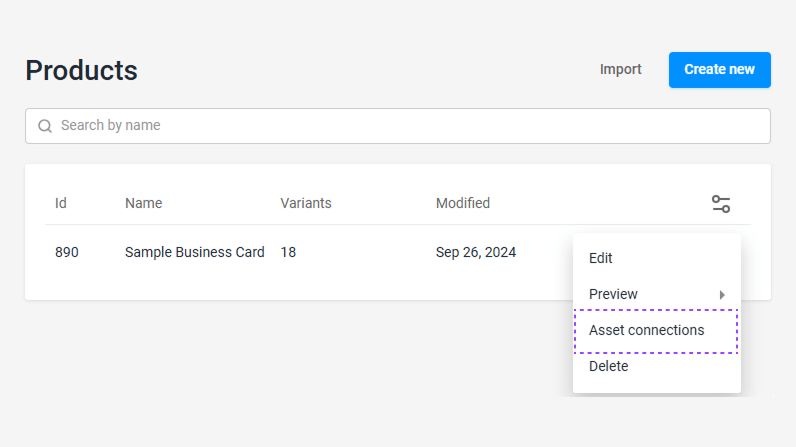
Go back to the product list, click ellipsis in the product row, and click Asset connections.
-
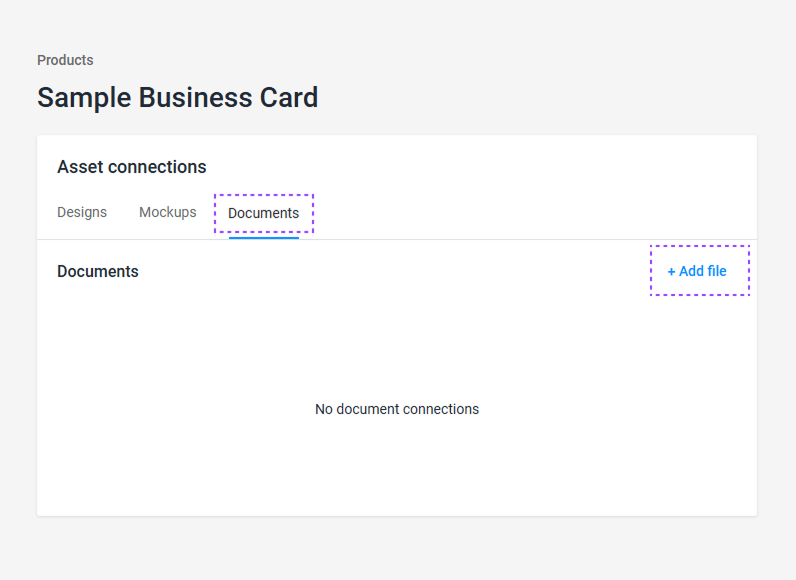
When a new window opens, switch to the Documents tab and add the necessary documents using the Add file button.
-
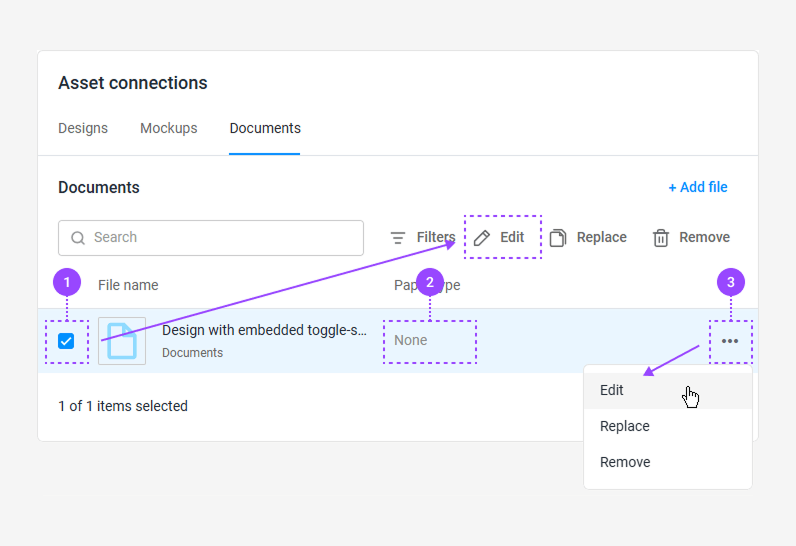
Set the link to the appropriate option for the added document in one of three ways.
 For detailed instructions on asset connections, refer to the Connecting assets to products topic.