Customer's Canvas Hub adds web-to-print capabilities to your WooCommerce products, helping customers create or submit artwork while your team gets the files needed for production.
Bring print product personalization to your WooCommerce storefront
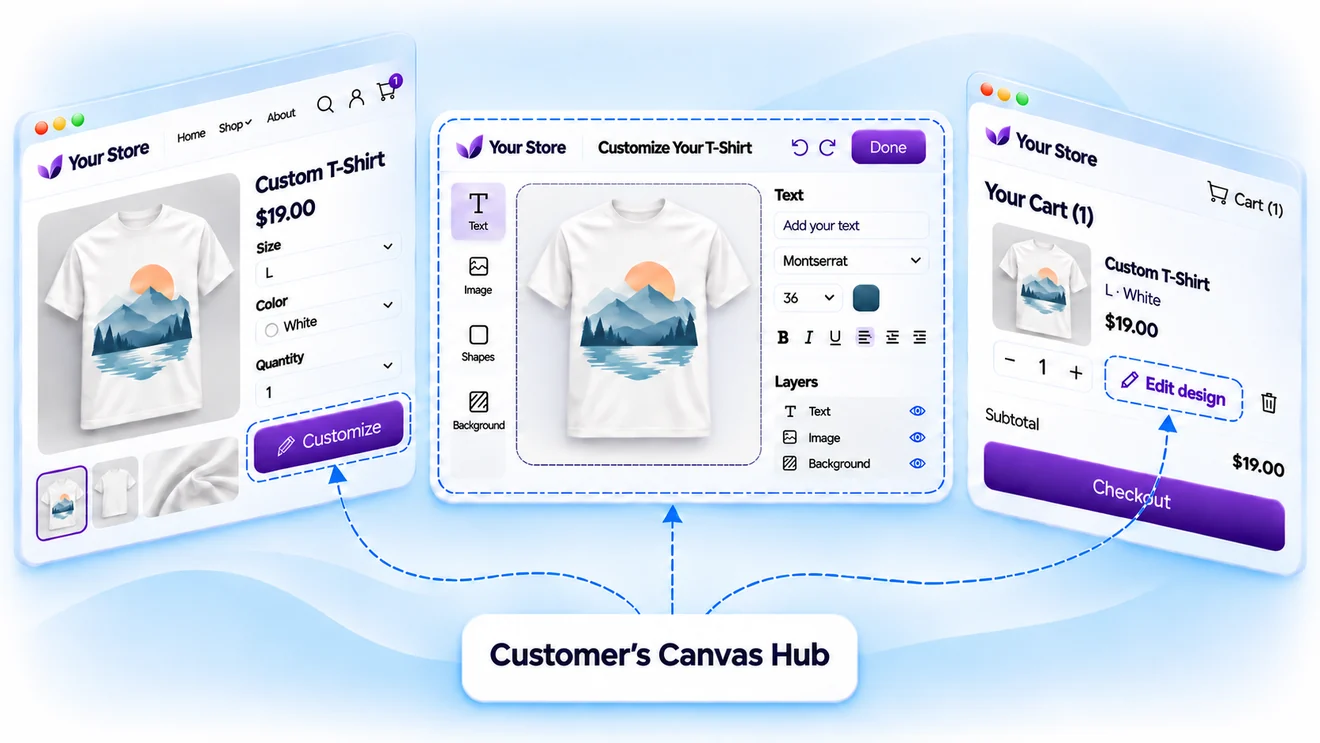
Go beyond standard WooCommerce product options
WooCommerce already gives customers ways to choose product sizes, materials, and other variations. But selling personalized print also means collecting the actual design.
Customer's Canvas Hub adds artwork personalization to your existing product pages. Buyers can prepare their designs and complete their purchases through the WooCommerce store they already know.
Build the right artwork workflow for each product
Not every print order starts with a finished design. Give customers an appropriate way to prepare their artwork and define the printing requirements before they place an order.

Offer different ways to submit artwork
Let customers personalize ready-made templates, create designs in an online editor, or upload finished files. Choose the approach that works for each product and your sales process.

Apply print requirements from the start
Configure dimensions, printable areas, editing restrictions, and artwork checks. Help customers prepare designs that meet your print specifications before they reach production.
Keep the experience consistent with your WordPress site
Your store already has its own design and customer journey. Personalization should feel like part of that experience rather than a separate application.
Adapt the editor's colors, fonts, interface, and language to match your storefront. Give customers a consistent path from choosing a WooCommerce product to personalizing it and completing the purchase.
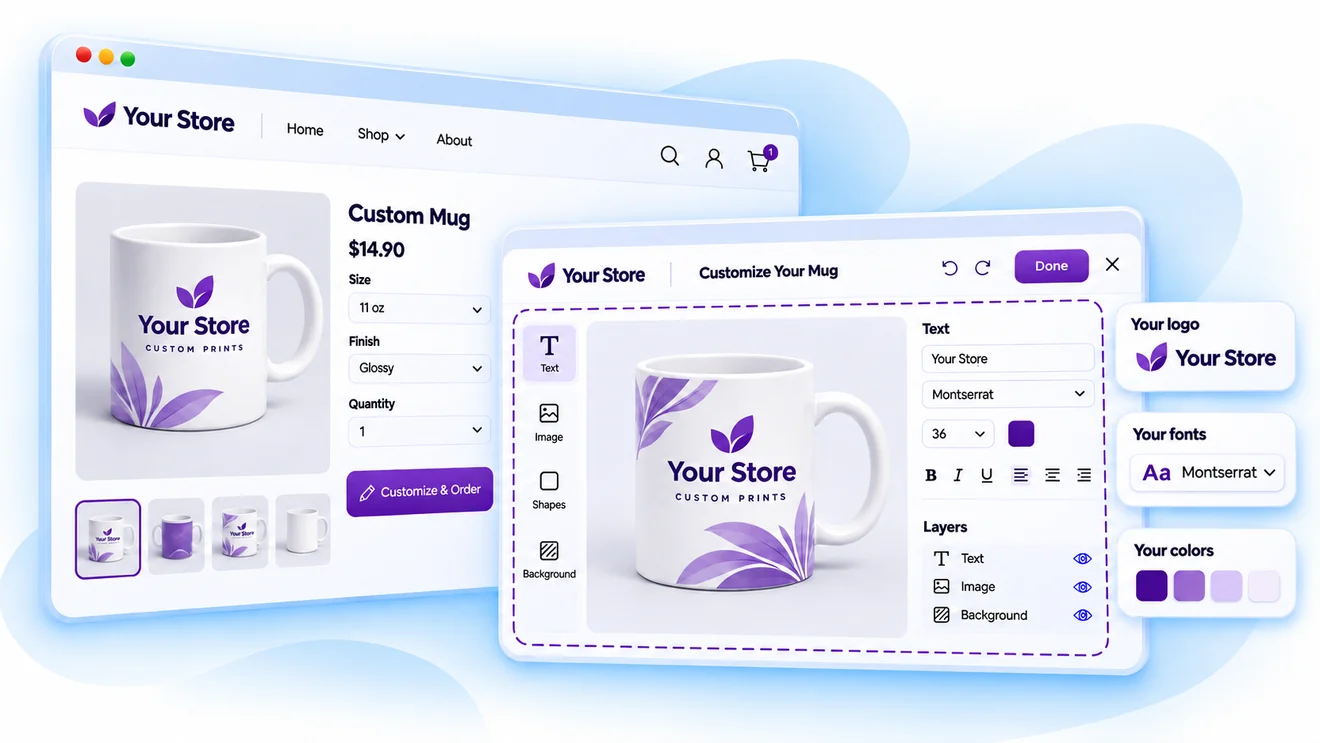
Connect WooCommerce variations to print personalization
Product variations determine what a customer buys. For personalized print, those choices may also affect the design, price, and production requirements.

Connect products to their print configurations
Associate WooCommerce products and variations with the corresponding personalization configurations in Customer's Canvas Hub.

Support your existing pricing approach
Keep prices in WooCommerce when standard product pricing is enough. Use Customer's Canvas Hub pricing rules or an external calculation service when your print products require more complex pricing.

Keep artwork connected to the order
Preserve personalization details alongside product selections and order information, so the next step in your workflow has the context it needs.
Give production more than an order notification
A completed WooCommerce order tells you what the customer purchased. Your production team also needs the artwork required to make it.
Customer's Canvas Hub helps connect the order with artwork processing and file generation, reducing the need to recreate customer designs manually.

Check submitted artwork
Use preflight to identify potential problems with uploaded files before they reach production.

Generate production files
Render personalized designs using the formats and output settings your printing process requires.

Retrieve and deliver artwork
Make generated files available to your team or connect them to downstream production systems through a configured workflow.
See how the WooCommerce integration works
Explore our WooCommerce walkthrough to see how product personalization is presented to customers and how editors and products are configured. For technical details, our integration documentation explains how the storefront, order data, and production files connect.
Bring your WooCommerce print workflow together
Tell us about your products, WooCommerce setup, and how you currently prepare artwork for printing. We'll discuss how Customer's Canvas Hub can connect personalization with your existing store and production process.