- Introduction
- What's New?
- Features
- Getting Started
- Integration with E-commerce
- Integration with Remote Asset Sources
- Printable Files and Proof Images
- Configuring Products
- Creating Product Templates
- User Interface
- Configuration Files
- API
- Visual Proofing Tool
- Variable Data Printing
- System Requirements
- Troubleshooting
- Licensing
- Copyright Notices
Visual Proofing Tool
Applies to: Customer's Canvas On-Premises; Preflight Tool · Archived documentation
Using the Customer's Canvas Proofing Tool, you can:
- Render ready designs. Your users may want to render high-resolution outputs based on ready designs or only preview them instead of using interactive designer online.
- Validate uploaded files automatically. You may want automatically perform the preflight and validation of user pre-designed files. This tool automatically approves or rejects such files while your users upload them to your site. Here, your customers can see if their design fits the product surface and all design elements are within bleed lines.
The Visual Proofing Tool works with both single page and multipage products, raster and vector design formats. Also, this online preflight tool supports color management. After the color space validation, it can apply custom color profiles to hi-res outputs. As a result, you obtain the user's design in a print-ready PDF file compatible with your equipment.
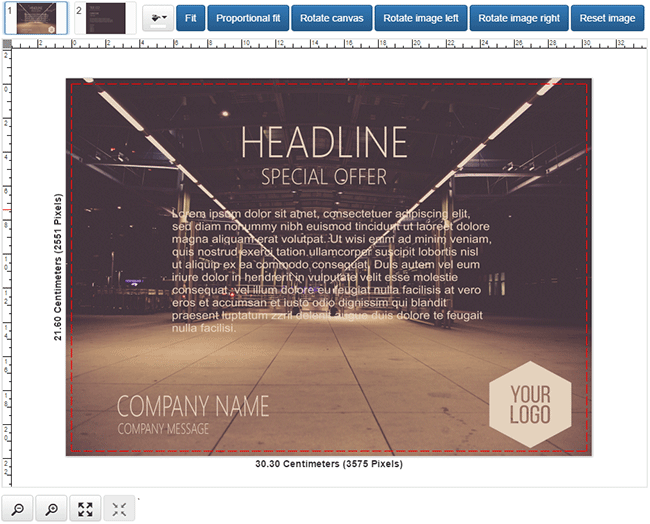
The following screenshot illustrates the user interface of this preflight tool. You can select the fit mode, change the background, and rotate the product and canvas through the top toolbar.
In This Section
The Quick Start
Visual Proofing Tool Configuration
Typical Proofing Workflow
Localization of the Visual Proofing Tool