

Image operations
This feature is available only upon request. To enable it in your account, contact our support team.
In the Image operations section, you can connect external AI-driven services to automate image processing tasks within your tenant.
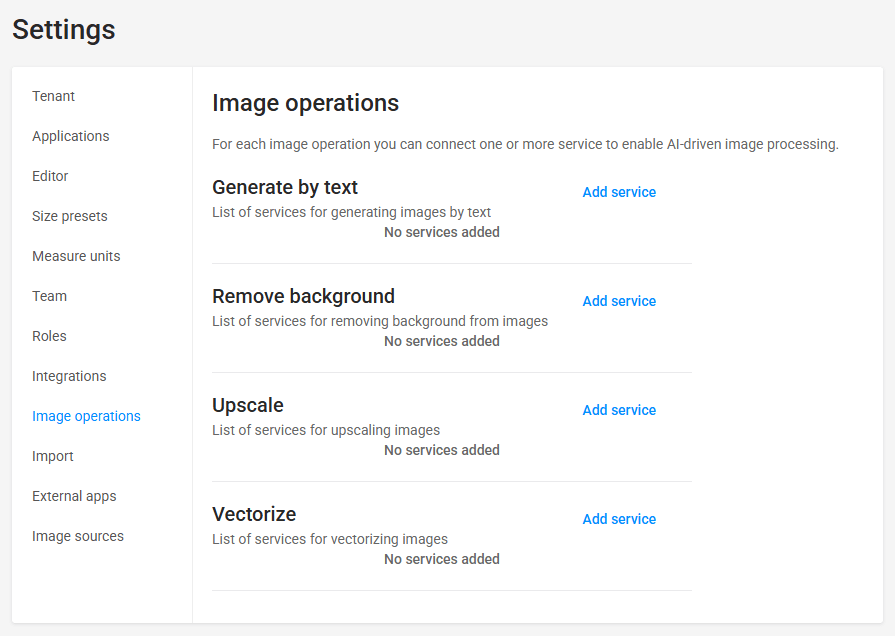
You can configure and manage the following types of image operations:
- Generate by text — Connects services that generate new images based on text prompts.
- Remove background — Connects services that automatically isolate the main subject and remove the background from images.
- Upscale — Connects services that increase image resolution while preserving visual quality.
- Vectorize — Connects services that convert raster images (such as PNG or JPEG) into vector formats.
Connecting services
To enable AI processing for an operation type, you must connect an external service provider and configure its credentials.
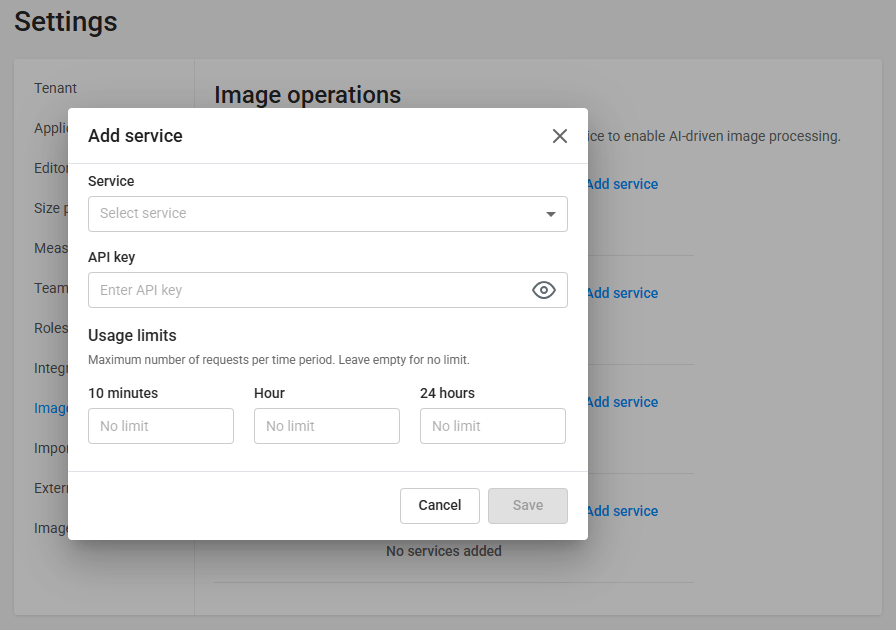
Common configuration steps
-
Locate the operation type you want to configure and click Add service.
-
In the Service drop-down list, select the provider.
-
In the API key box, enter your provider credentials. Refer to the specific operation section for supported providers and key formats.
-
Optional. In the Usage limits section, specify rate limits to control API consumption and prevent unexpected costs. You can set the maximum number of allowed requests for the following periods:
- 10 minutes
- Hour
- 24 hours
Note: Leave these boxes empty to allow unlimited requests.
-
Click Save.
If no services are added to an operation type, the corresponding AI feature remains unavailable to users in the editor applications.
Supported providers by operation type
Generate by text
| Provider | API key format example |
|---|---|
| OpenAI | sk-proj-abc123XYZ... |
| Picsart | p9X7v... |
Remove background
| Provider | API key format example |
|---|---|
| Picsart | p9X7v... |
| RemoveBg | ak_example123abc... |
| CutoutPro | cpro_key987xyz... |
Upscale
| Provider | API key format example |
|---|---|
| Picsart | p9X7v... |
Vectorize
| Provider | API key format example |
|---|---|
| Vectorizer.AI | vai_key456lmn... |