

Tenant
This is the first tab in the Settings section. Here, you can see the settings of your tenant.
-
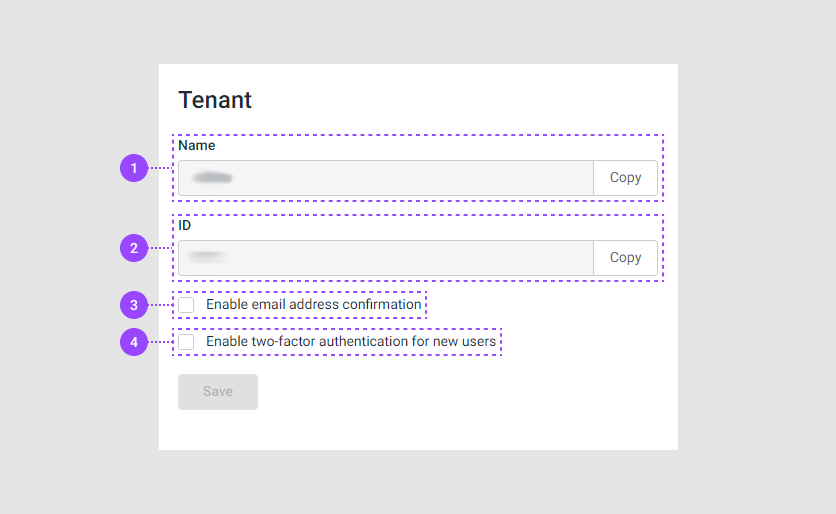
Name. This is the your tenant's name. You can use this name when you log in to Customer's Canvas.
-
ID. This is the ID of your tenant. You can use ID when you set up an integration or work through the REST API.
-
Enable email address confirmation. When you log in to Customer's Canvas, you can receive a confirmation to your e-mail.
-
Enable two-factor authentication for new users. Admins can enable two-factor authentication for the user role. Read more about roles in the Teams and Roles article.