- Introduction
- What's New?
- Features
- Upgrading the Design Editor
- Breaking Changes in 6.0
- Getting Started
- Integration with E-commerce
- Integration with Remote Asset Sources
- Printable Files and Proof Images
- Configuring Products
- Creating Product Templates
- User Interface
- Configuration Files
- APIs
- Add-ons
- System Requirements
- Troubleshooting
- Migrating Your Applications
- Licensing
- Copyright Notices
User Accounts
Applies to: Customer's Canvas On-Premises; Design Editor 6.15.0, 6.x (may differ) · Archived documentation
This topic describes how you can obtain a private key and an access token to allow your users to work with your Google Drive assets.
Getting a Private Key
To get a key for a user account
- Click https://console.developers.google.com/start/api?id=drive to create a project in the Google Developers Console and automatically turn on the API. On the following page, click Continue.
When the confirmation page appears, click Go to credentials.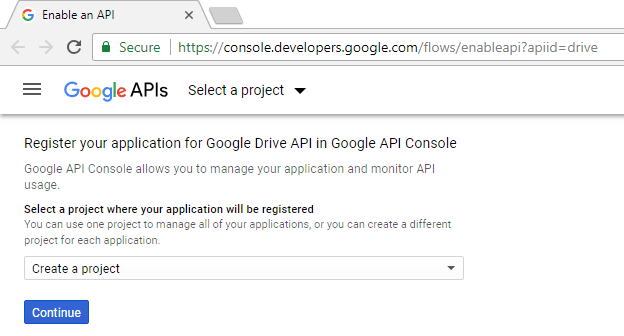
- On the Add credentials to your project page, click the Cancel button.
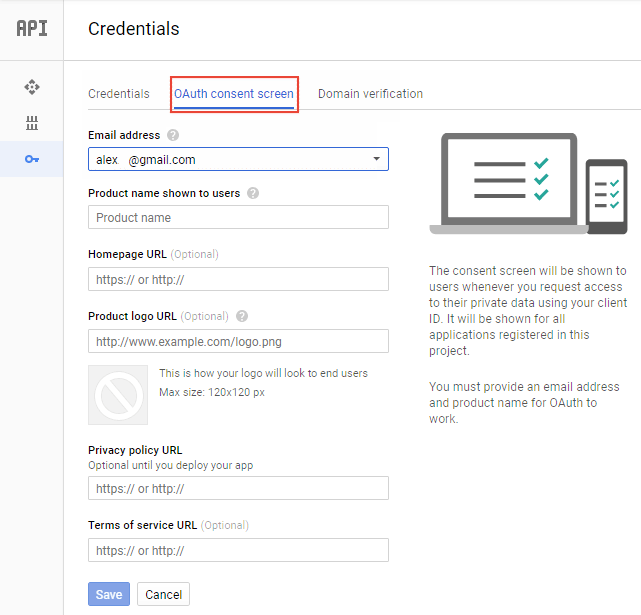
- At the top of the page, click the OAuth consent screen tab. Select an Email address, enter a Product name if it's not already set, and then click Save.
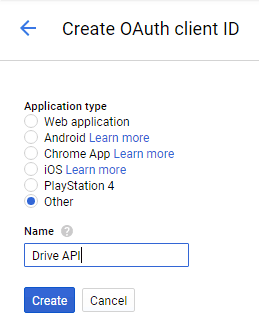
- Click the Credentials tab, click the Create credentials button, and then select OAuth client ID.
- Select the application type Other, enter the name "Drive API", and then click Create.
- Click OK to dismiss the resulting dialog.
- Click the Download button.
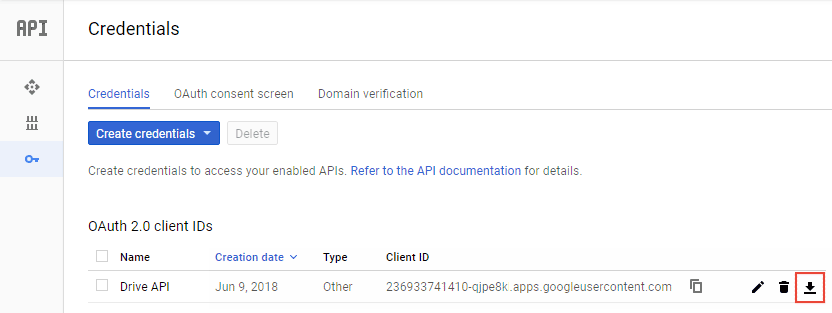
- Move the downloaded file to your working directory and rename it as
client_secret.json.
Getting a Google Access Token
The Google Drive web service uses Google Access Tokens to work under user accounts.
Prior to the token generation, you need to specify paths to your client key and an output token file in gdtokengen.exe.config.
<configuration>
    <appSettings>
        <add key="OAuthClientSecretPath" value="client_secret.json" />
        <add key="OAuthClientCredentialPath" value="" />
    </appSettings>
    ...
</configuration>
In this example, the OAuthClientSecretPath parameter defines the location of the OAuth Client (the client_secret.json file) in the same folder where you unzipped this console application to. If OAuthClientCredentialPath is an empty string, then a token file will be created in the folder specified in OAuthClientSecretPath.
To generate a token:
- Run
gdtokengen.exe. - Sign in to your Google account.
- Click Allow.
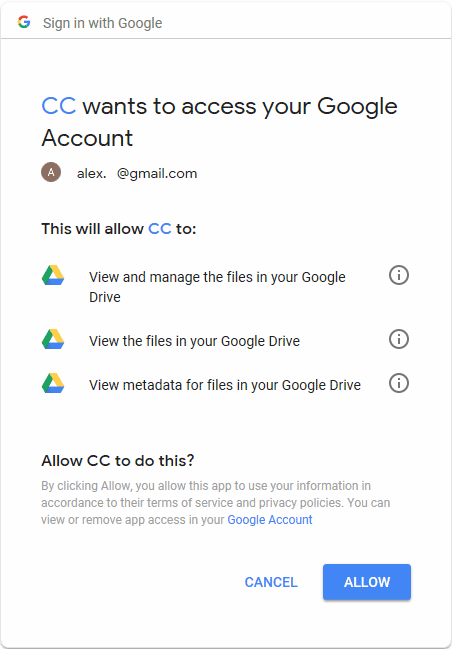
- Press any key to close the application.
- Verify that the
Google.Apis.Auth.OAuth2.Responses.TokenResponse-CustomersCanvastoken file has appeared in yourOAuthClientCredentialPathfolder.