

PIM design selector
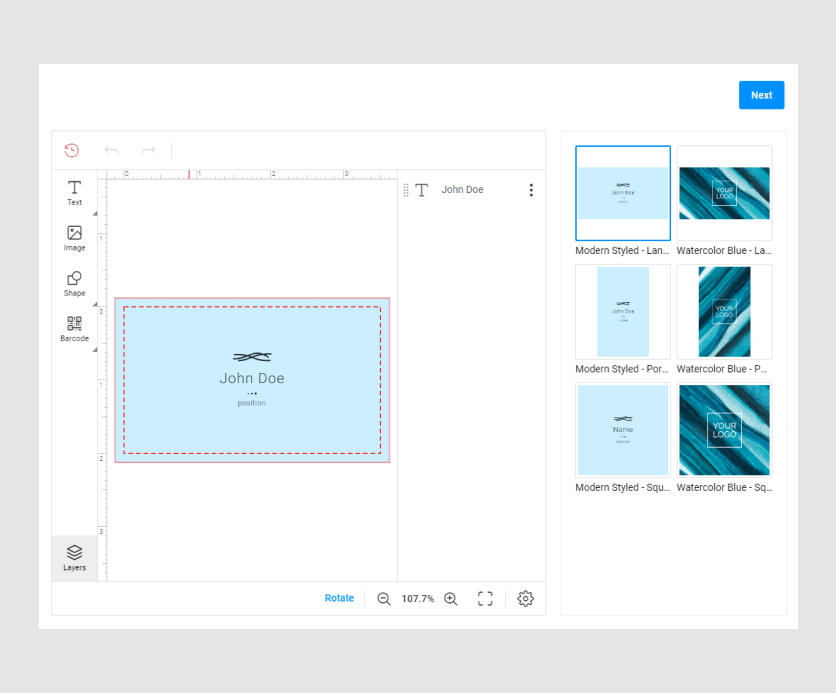
This widget shows designs for products configured in the PIM module and allows you to select one of them.
{
    "name": "design-selector",
    "type": "pim-design-selector",
    "params": {...}
}
Getting design variants
The designs property shows design variants. You can obtain these designs through the PIM Ajax widget.
note
If you use this widget in the toolPanel or rightToolPanel, embed it in the group widget. To learn more about this widget, read the Group article.
{
    "name": "design-selector",
    "type": "pim-design-selector",
    "params": {
        "designs": "{{ $['pim-ajax'].designs }}"
    }
}
Methods
getPrivateDesignFromResource()
Creates a private design from a PIM Design Resource. Use this method when the next step works with private designs, but the editor cannot open a resource directly. The method is available since version 4.47.0.
The result is available through the privateDesignIdFromResource property.
{
    "type": "pim-design-selector",
    "name": "design-selector",
    "params": {
        "designs": "{{ $['pim-ajax'].designs }}",
        "onItemDoubleClick": "{{ #function main.nextStep() }}",
        "onChange": ["{{ #function $['design-selector'].getPrivateDesignFromResource() }}"]
    }
}
Pass the result to an editor:
{
    "name": "dd-editor",
    "type": "data-driven-editor",
    "params": {
        "config": {
            "design": {
                "designId": "{{ $['design-selector']?.privateDesignIdFromResource }}",
                "isPrivateDesign": true
            },
            "settings": {
                "allowManipulations": false,
                "enableSymbols": false,
                "itemsSnapLines": true,
                "printAreaSnapLines": true,
                "showPrintArea": true
            }
        }
    }
}
Params
| Name | Type | Description | Default value |
|---|---|---|---|
designs | ProductInformationDesign[] | Contains design variants | empty array |
showItemsTitle | boolean | If true, displays a title below a thumbnail | false |
itemsPerPage | number | Defines the quantity of thumbnail per page | 24 |
onChange | function | A function or array of functions that will be executed when an item is changed | null |
onItemDoubleClick | function | A function or array of functions that will be executed when an item is double-clicked | null |
onItemClick | function | A function or array of functions that will be executed when an item is clicked | null |