We worked by the sweat of our brow (five electrocuted laptops are and two more hired janitors the "watertight" proof) for a long while, but now we're dry, well-rested and happy to announce the release of the four point oh.
It's 4.0, everyone!
Let's roll up the sleeves and take a deep looksee into what's new and what's better:
Enhanced User Interface
- Let's leave apart two-level toolbar, zoom for rich text editing, different layouts of the object inspector, autofocus for just added objects, and talk about grown-ups' stuff.
- We took a ride into the terra incognita of Material Design and came back with a great new look, three build-in themes, and advanced support for customizable themes by simply changing a JSON-file.
- Last night was lots of fun, but this morning you have to finish a big project and your hands are not quite steady? Been there, mates. Now we can give you a ha… a line. Our Snap Lines are adaptive, helpful, and can be easily switched off if it is what you really want.
- And, of course, here comes the most amazing part for the people who like to be creative outdoors, who hates desktops and think less of laptops: the full and indisputable support of tablets. Any kind, any size! And also high-quality support of Retina displays. Think outside the box, work outside the walls! Or just on the sofa…
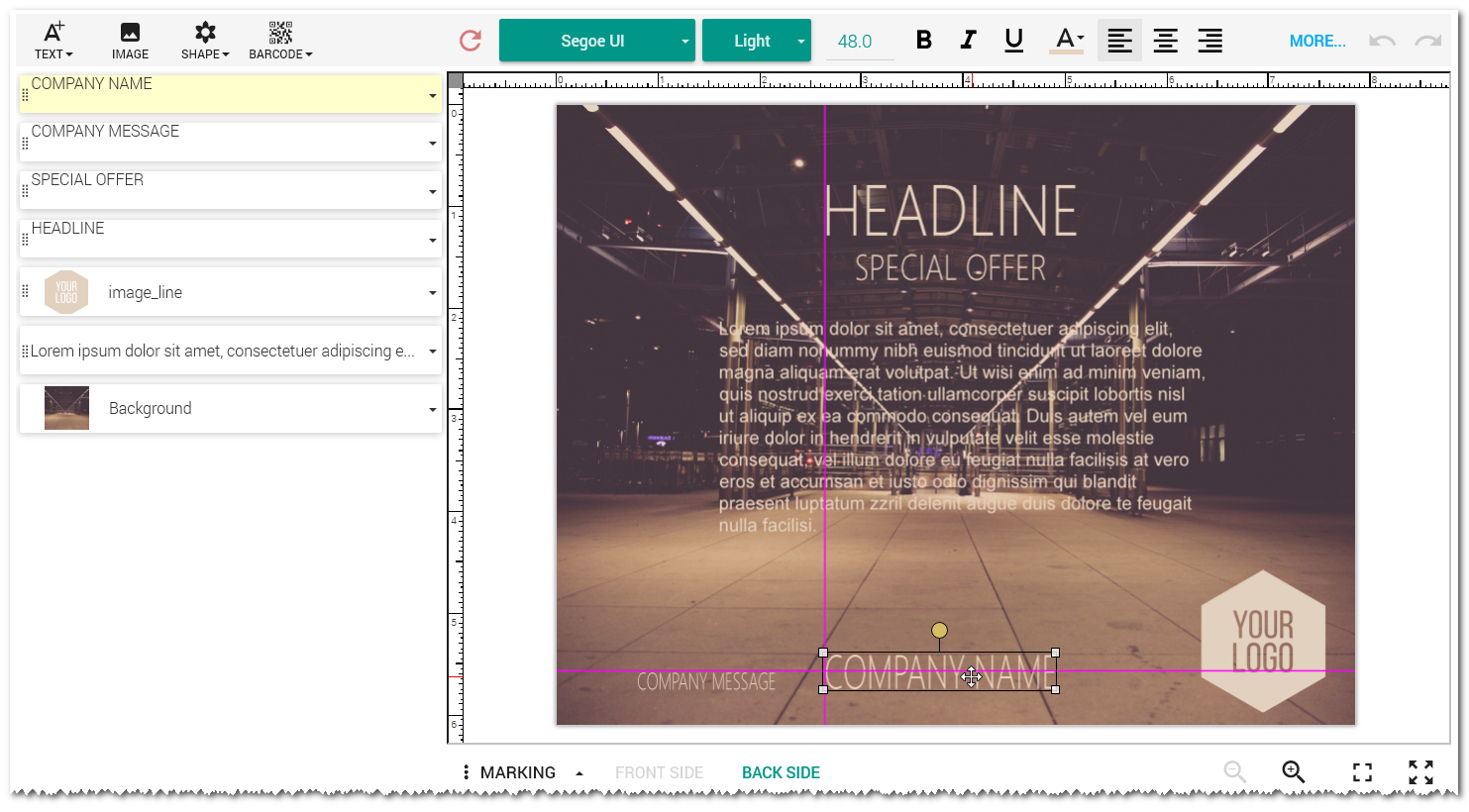
- Today we are big on placeholders: non-rectangular, rotated, linked… you name it, we have it! Just drop you pic in one place and it's already here, there, and everywhere (uh-huh, © The Beatles) cropped to shape you like and turned for an angle size you want.
- And don't you dare to forget about the text placeholders. At least they'll never let you forget about where your text goes to.
- We provide you with lines (hmm… yep, technically we didn't have them before), vertical text align, and more sophisticated layers control.
- If you know for sure that you're going to print everything in B/W, we have a special preview mode for you based on Floyd-Steinberg dithering. Ol' good WYSIWYG? Sir, yes, sir! Full-steam ahead!
- You have thousands of clients in your DB to send flyers to? Well-done! We have on-the-fly autofill function to work with your long mailing list and change templates instead of you!

Improved Maintenance
- Debugging is much easier as well. It's transparent as a polar ice: you can check the logs at elmah and use Microsoft Application Insight service for the deep monitoring of "bad things": downed servers, errors, etc.
- Optimize your data storage! Move the location of Customer's Canvas's cache to another drive without any questions!