Offer personalized postcards, self-mailers, and other printed mailpieces through your ordering system or software platform. Customer's Canvas helps connect customer-supplied data, variable artwork, previews, and print-file generation with the workflows you already use.
Make direct mail personal, from data to print

Bring personalized direct mail into your business
Whether you produce direct mail, sell print services, or build marketing software, the challenge is connecting the customer-facing experience with the artwork and production workflow behind it.

For direct mail and print providers
Let customers configure supported mailpiece products, supply personalization data, and review artwork through a digital ordering experience. Connect those orders with your existing variable data printing and production processes.

For marketing service providers
Offer personalized printed materials alongside your other marketing services. Use customer or campaign data to prepare mailpieces with relevant messages, images, and offers, while retaining your existing campaign and mailing systems.

For software and marketing platforms
Add direct mail personalization to the applications your customers already use. Integrate template-based artwork creation, variable-content previews, and rendering without building every print-specific component from scratch.
Support the mailpieces your customers want to personalize
Different printed formats call for different templates, content, and production settings. Build personalization workflows around the products you offer.

Personalized postcards
Combine recipient names, localized offers, product images, and campaign-specific QR codes in a prepared postcard design.

Letters and envelopes
Use variable text and recipient information in configured letter or envelope artwork, with postal address processing handled separately.

Self-mailers
Personalize content across the panels of a folded mailpiece while accommodating the layout requirements of the selected format.

Catalogs and brochures
Create versions of marketing materials with different messages, imagery, or offers using templates configured for the product.
Personalize more than the recipient's name
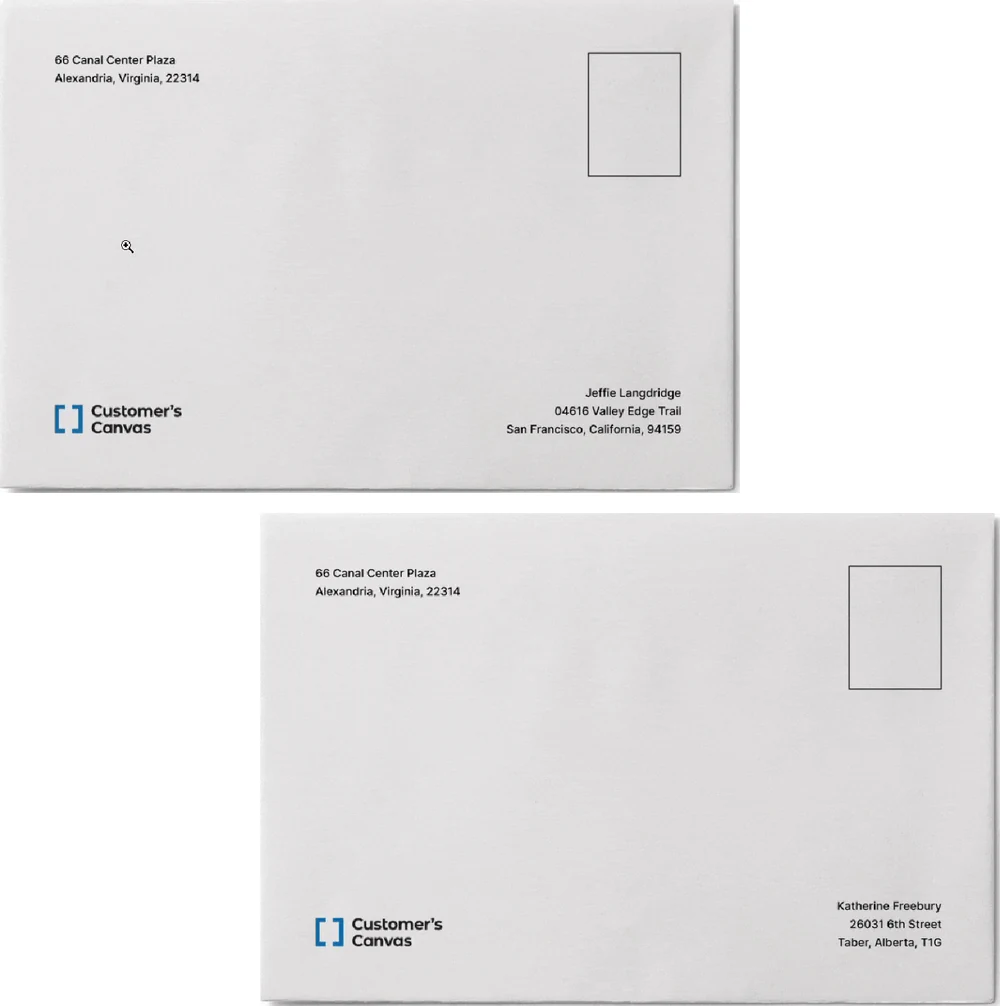
A retailer wants to send postcards with different offers for different customers. The mailpiece layout stays consistent, but the headline, product image, promotion, and QR-code destination can change based on the supplied data.
Variable data printing (VDP) makes it possible to produce these variations from a prepared template and structured records. Customer's Canvas Hub supports variable text, images, and code elements, with configurable rendering for print production.
The capabilities behind personalized direct mail
Go beyond basic text substitution with variable content and print-output capabilities that can be configured for your workflow.

Variable text and offers
Populate designated text fields with recipient-specific names, locations, messages, promotional offers, or other values from a supplied dataset.

Data-driven images
Select images and other prepared visual assets based on data values, allowing different recipients to receive different visual content.

Personalized QR codes and barcodes
Generate supported QR codes or barcode content from supplied values, including recipient-specific links and identifiers. Postal-specific barcode requirements remain a separate part of the mailing workflow.

Configurable VDP output
Use Customer's Canvas Hub rendering pipelines to generate supported PDF or raster output with the settings required by your downstream production process.
Connect recipient data with production output
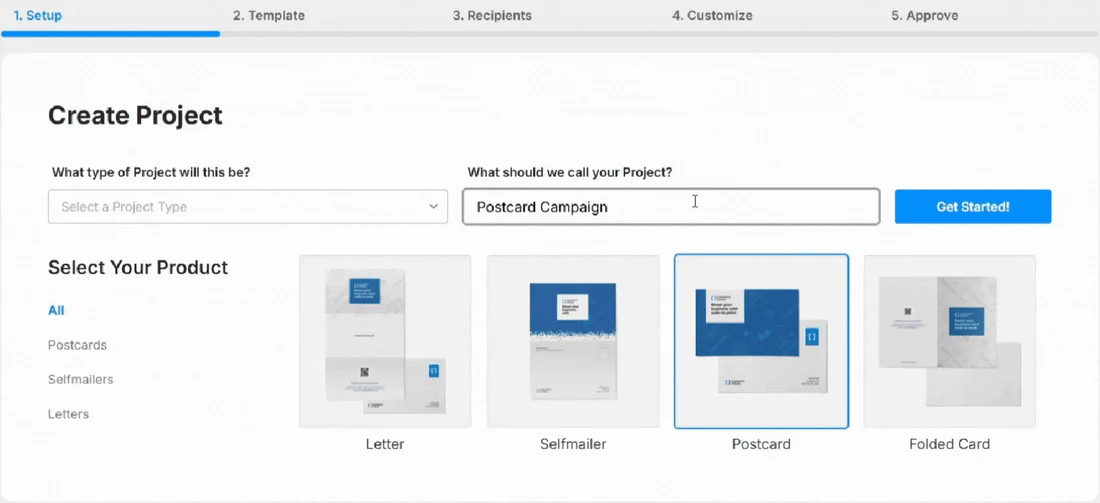
Consider a personalized postcard order. The customer selects a configured product, supplies the required data, and reviews how the artwork changes for different records. The workflow then generates the files needed for the next production stage.
Customer's Canvas Hub provides documented capabilities for mapping dataset fields to templates, previewing variable designs, and rendering personalized output. These capabilities can be integrated into an ordering application or software platform.
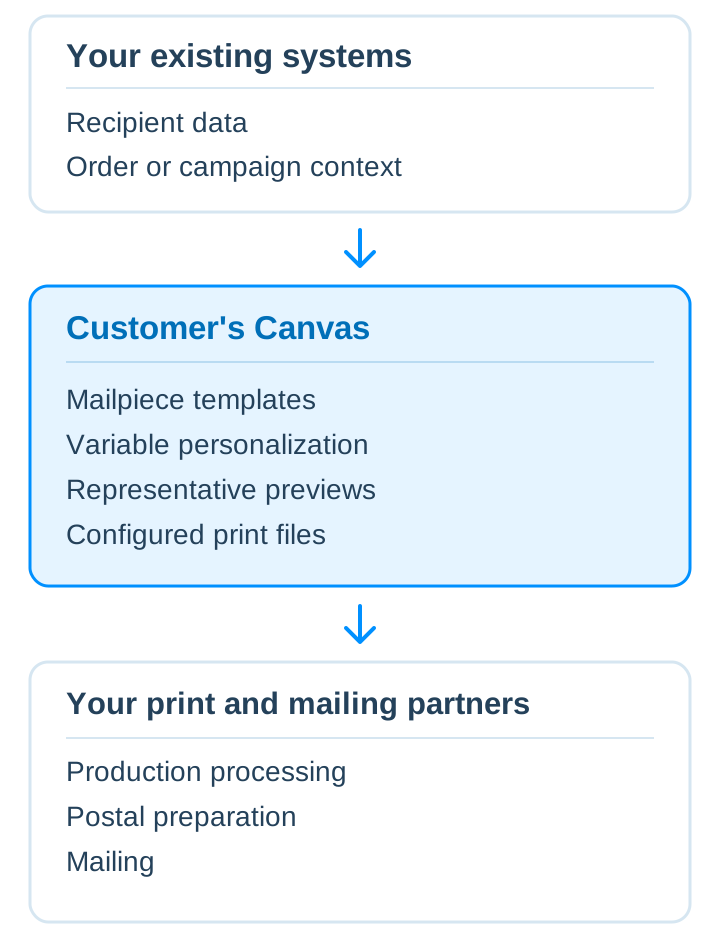
Keep your mailing operation. Add the personalization layer
You may already use specialized systems for audience selection, customer data, campaign management, print production, and mailing. Those systems do not need to be replaced to introduce a new personalization experience.
Customer's Canvas Hub can provide artwork editing, variable-content composition, previews, and rendering within an integrated workflow. Address validation, postal presort, postage, physical mailing, delivery, and campaign measurement remain with the systems and providers responsible for them.
Choose how to bring direct mail personalization online
The right approach depends on whether you need an ordering application or want to extend software you already operate.

Offer online ordering with Customer's Canvas Portal
Customer's Canvas Portal is a configurable web-to-print application delivered with implementation services. Its supported bulk-personalization workflows can be configured for selected print products, with the required direct mail scenario defined during implementation.

Integrate personalization into your ordering system
Keep your current storefront or ordering application and add Customer's Canvas Hub capabilities for supported artwork editing, variable-data personalization, and rendering through an integration tailored to your environment.
Build direct mail features with Customer's Canvas Hub
Use Customer's Canvas Hub APIs and components to bring mailpiece templates, variable content, previews, and print-file rendering into a software platform your team controls.
The documented Direct Mail app sample demonstrates how these parts can work together. It includes source code and setup instructions rather than a ready-to-use hosted mailing service.
Explore direct mail resources
Learn more about direct mail infrastructure, personalization, and the systems behind data-driven print.
Direct Mail white paper
Explore the architecture and considerations behind connecting direct mail personalization with existing marketing and print workflows.

How to build a modern direct mail infrastructure
A practical look at the components involved in connecting data, personalization, rendering, and production in a direct mail system.

The unnecessary premium: Why personalization is an infrastructure problem, not a design task
Explore how the infrastructure around personalization influences the cost and complexity of delivering customized print.
Let's talk about the direct mail you want to offer
Whether you're adding personalized mailpieces to your print services or building direct mail into a software platform, tell us about your products, ordering process, and production requirements. We'll help you determine where Customer's Canvas Portal or Customer's Canvas Hub could fit.