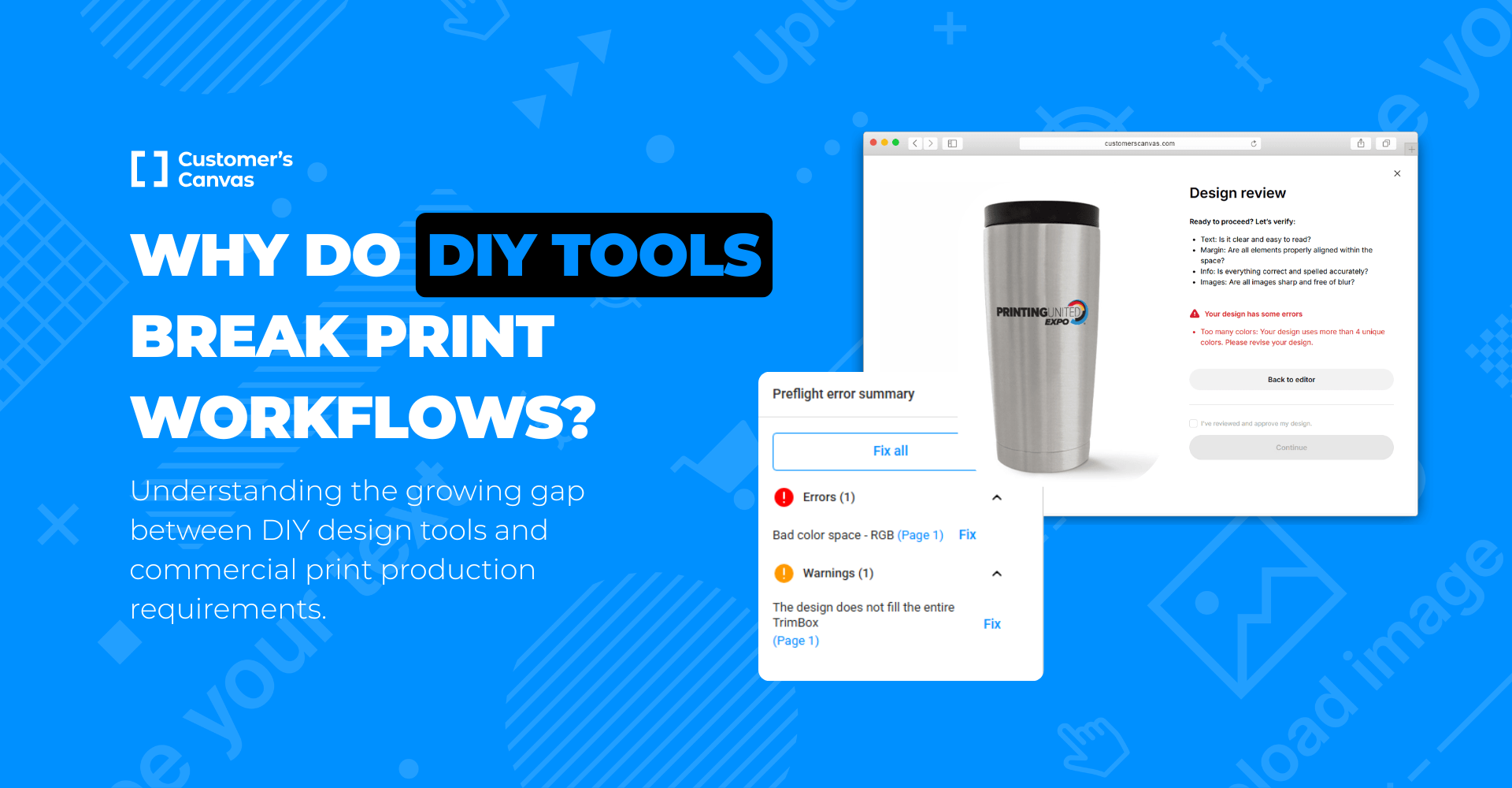
The scenario is familiar to almost every print production team. A client sends over a design file. It’s not necessarily a consumer ordering invitations; often, it’s a marketing manager at a large corporation. They needed a flyer "for yesterday," their internal design team was overloaded, and they created the layout themselves using a browser-based design tool.
On screen, everything looks polished: brand colors are consistent, typography is clean, and the layout feels modern and professional.
But once the file reaches prepress, production issues begin to appear: RGB color profiles, missing bleeds, low-resolution images, non-embedded fonts, or rich black text created for screens rather than offset printing.
In the industry, this phenomenon has been dubbed "The Canva Effect."
According to 2025 market data, platforms like Canva now serve more than 260 million monthly active users, with hundreds of new designs being created every second. Browser-based content creation has become a standard part of how both consumers and businesses produce marketing materials today.
As a result, print providers increasingly receive files optimized for digital convenience rather than print production requirements.
DIY Design Has Officially Entered Enterprise Workflows
There is still a common assumption that problematic print files mostly come from casual consumer orders.
In reality, enterprise marketing teams have widely adopted self-service design platforms for everyday collateral creation. Data shows that 95% of Fortune 500 companies now use tools like Canva for Enterprise internally.
This shift has fundamentally changed the profile of the typical print buyer.
Your B2B contacts are no longer exclusively trained designers working in professional desktop publishing software. Increasingly, they are marketing specialists, local branches, franchise teams, sales departments, HR teams, or event coordinators working in fast-moving business environments.
And unlike small consumer orders, these projects often involve large production volumes:
- brochures,
- direct mail campaigns,
- retail signage,
- catalogs,
- promotional materials,
- packaging inserts.
When print-ready requirements are not met, the operational and financial impact becomes significantly larger.
The Hidden Cost of Manual File Correction
Most print providers already understand the problem operationally. The real challenge is economic. Every non-print-ready file introduces a decision point:
- reject the file and slow down the order,
- or manually repair it internally.
Neither option is ideal.
Option 1: Push the Problem Back to the Customer
The print provider contacts the customer, explains the technical issues, and requests updated artwork or charges an additional prepress fee.
The result is often friction:
- delayed production,
- additional communication cycles,
- customer frustration,
- and increased pressure on support teams.
In B2B environments, this is especially problematic because the person submitting the file may not have deep print knowledge in the first place.
Option 2: Fix Everything Internally
Many print shops choose to quietly correct files themselves to keep orders moving smoothly.
But small manual fixes accumulate quickly:
- extending bleeds,
- correcting color profiles,
- fixing transparency issues,
- adjusting rich black text,
- replacing fonts,
- rebuilding low-resolution assets.
Even when each correction only takes several minutes, the cumulative operational cost becomes substantial over hundreds of orders.
This creates what many production teams informally describe as a “hidden prepress tax”. Research suggests a "3-to-1" cost ratio: for every $1 spent on the actual printing process, print shops spend $3 on non-print administrative tasks and file handling. Skilled labor spent repeatedly correcting preventable file issues.
Why Browser-Based Design Files Often Create Print Challenges
Importantly, this is not a criticism of modern design tools themselves.
Platforms like Canva were built primarily for speed, accessibility, collaboration, and digital content creation. They solve real business problems and are extremely effective for many marketing workflows.
The challenge is that commercial print production operates under a very different set of technical constraints.
1. Bleeds and Safe Zones Are Not Intuitive for Non-Print Users
For most business users, designing for screens feels natural. But concepts like trim areas, bleed zones, and safe margins are specific to print production.
As a result, files frequently arrive with artwork extending exactly to the edge of the final format, without the additional bleed area required for finishing.
2. RGB Workflows Dominate Modern Marketing
Most browser-based design environments prioritize digital display and RGB color rendering.
Meanwhile, print production often requires CMYK workflows, ICC profile management, and output consistency across presses and substrates.
Even when corporate brand guidelines specify print colors, marketing teams working primarily in digital environments may unknowingly export files using screen-oriented color settings.
3. Screen Typography Behaves Differently in Print
Text that appears perfectly sharp on screen can become problematic in production.
Small black text may convert into multi-channel rich black values, increasing the risk of registration issues during printing. Thin fonts, transparency effects, and rasterized text can create additional complications depending on the print process.
Again, these are not “bad designs.” They are simply designs created for a different medium.
The Industry Response: Smarter Print Workflows
The solution is not to fight against self-service design trends.
Enterprise marketing teams will continue using fast, collaborative design tools because they improve agility and reduce bottlenecks in content creation.
The real opportunity for print providers is to build workflows that adapt to this new reality. In the Customer’s Canvas ecosystem, we implement a two-tiered approach: fixing the files you get, and providing a better way to create them.
Part 1: Intelligent Preflight Automation
Instead of relying entirely on manual review, modern web-to-print workflows can validate uploaded files automatically before production begins.
In the Customer’s Canvas ecosystem, uploaded files can be analyzed instantly against multiple production parameters, including:
- bleed detection,
- image resolution,
- color space validation,
- font handling,
- transparency issues,
- trim size consistency,
- and other print-related checks.
Most importantly, the workflow does not stop at simply displaying an error message.
The system can guide customers toward resolution through several paths:
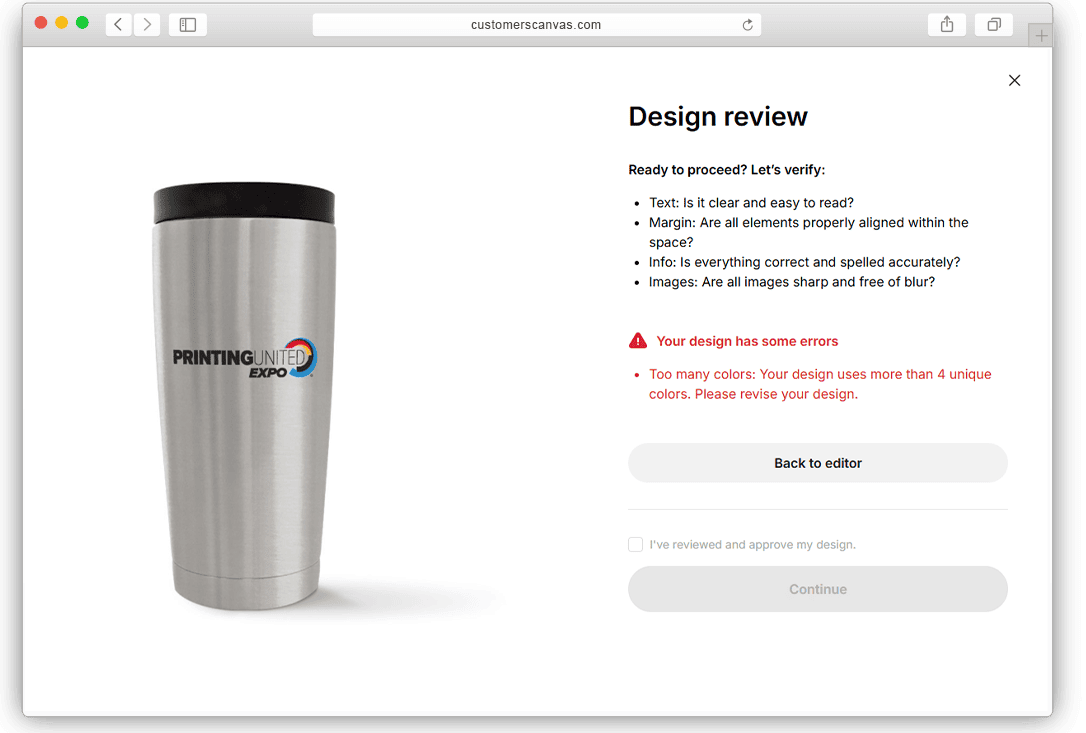
- Automatic Corrections. Certain issues, such as mirrored bleeds or color profile conversion, can be corrected automatically using predefined production rules.
- Customer Approval Workflows. If a file contains non-critical quality risks, customers can review warnings and approve printing “as is,” reducing liability disputes later in the process.
- Guided Re-Upload. For critical problems, customers receive simple, understandable instructions instead of highly technical prepress terminology.
This dramatically reduces the communication burden on production teams.
Part 2: Print-Aware Online Templates
Preflight automation solves problems after file creation.
Template-based workflows help prevent many of those problems from appearing in the first place.
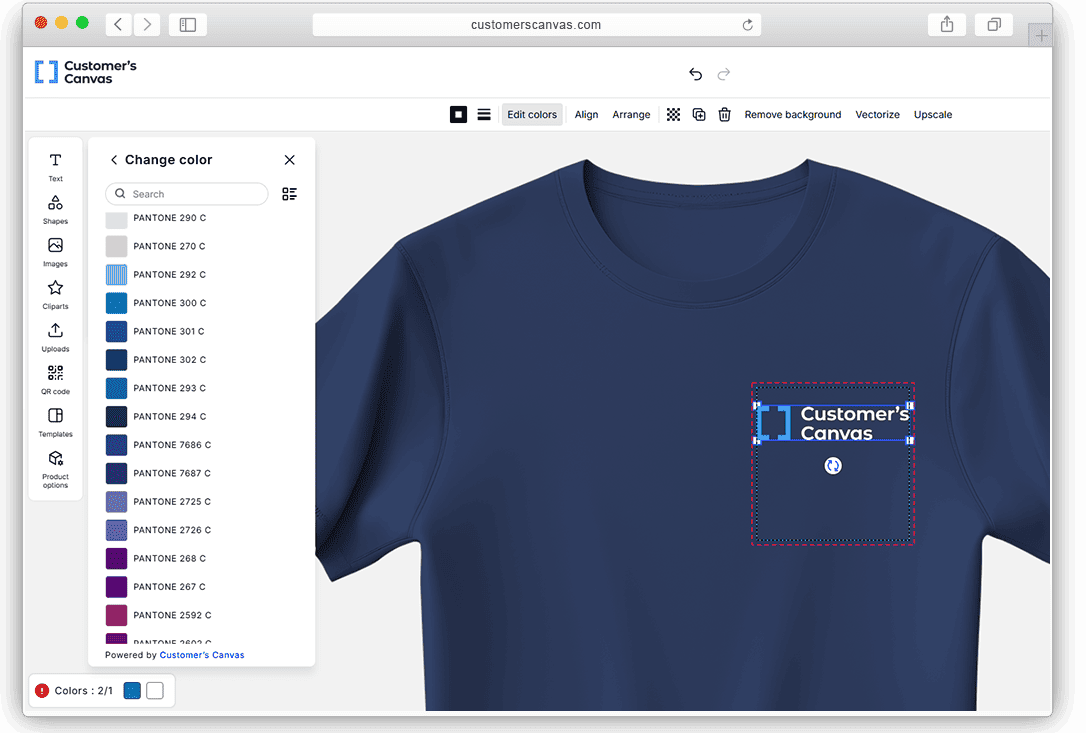
Customer’s Canvas web-to-print templates provide a familiar self-service editing experience while embedding print-production rules directly into the design environment.
From the customer perspective, the experience remains simple and intuitive.
Behind the scenes, however, the system can enforce:
- safe zones,
- locked layouts,
- CMYK workflows,
- approved fonts,
- vector handling,
- image quality requirements,
- and export rules optimized for print production.
This allows business users to work independently while still generating production-ready output.
The Operational Impact of “Shift Left”
More print providers are adopting what software teams often call a “Shift Left” approach - moving validation and correction earlier in the workflow.
Instead of discovering production issues deep inside prepress, problems are identified immediately during upload or design creation.
The operational benefits are significant:
- fewer manual touchpoints,
- faster throughput,
- reduced prepress workload,
- fewer production delays,
- and more scalable order handling.
Most importantly, automation allows print providers to support the growing volume of self-service content creation without increasing operational complexity at the same rate. Case studies show that automated workflow implementation can deliver 300% ROI by eliminating rework and administrative drag.
Conclusion
The rapid growth of browser-based design platforms is not a temporary trend. It reflects a permanent shift in how modern organizations create marketing materials.
For print providers, the question is no longer whether these files will enter production workflows. They already have.
The real challenge is building systems capable of transforming digital-first content into reliable print output efficiently and at scale.
The most successful print businesses will not be the ones rejecting this shift, but the ones adapting their workflows around it.
Customer’s Canvas helps print providers automate file validation, reduce manual prepress work, and create print-aware self-service experiences for modern customers.
See how Customer's Canvas works and start validating files automatically today.
Contact Us