This story is told by Customer’s Canvas. Not to present features, but to reflect on a pattern we have seen many times as print businesses scale online personalization.
The protagonist is a growing print company. Their perspective appears in direct quotes.
Ours appears in analysis and reflection.
The goal is simple: to show how a familiar web-to-print success story can quietly turn into a scaling problem once personalization moves beyond basic full-color printing—and to explore the realistic choices companies face when different printing technologies enter the picture.
The First Success with Online Personalization
“Our path into web-to-print began the same way it does for many companies. With business cards and flyers. Clients loved being able to tweak text or upload a logo. We loved seeing the orders come in. The editor worked flawlessly and gave customers complete creative freedom.”
The setup was simple. The products were predictable. The output was easy to automate.
“At some point, we realized that the formula was working and decided to apply it to everything in their catalog.”
That decision marked the start of the next phase.
Adding New Products and Print Methods
Wedding Invitations and Specialty Printing
“Let’s launch wedding invitations.”
At first, it sounded simple. In practice, most orders required foil stamping or debossing.
That is when the real questions surfaced:
- How do you show foil areas clearly inside the editor?
- How do you generate a print-ready PDF where foil is a separate production layer?
“We could still produce the orders, but not through the online editor. At least, not without manual intervention.”
This was the moment when automation began to break down.
Promotional Products and Engraving
“Let’s try mugs and pens.”
The most common request turned out to be laser engraving.
Customers uploaded bright, multi-color images. Production required a clean, single-color contour.
The editor accepted everything without restrictions. Prepress teams corrected every file by hand.
At that point, personalization existed but automation didn’t.
Apparel and Screen Printing
“Let’s offer T-shirts.”
But apparel came with multiple print methods:
- DTG
- Heat transfer
- Screen printing, often limited to two or three colors
Customers, however, still had full freedom in the editor and continued creating multi-color designs, regardless of how the product would ultimately be printed.
The team was forced to make a difficult decision. They could disable personalization for screen printing altogether, or accept every order and manually review each file before production.
Either way, the process no longer scaled automatically.
The Gap Between Online Editors and Print Production
At this stage, a pattern became impossible to ignore. The more freedom customers had in the editor, the more chaos appeared in production.
What looked clean and simple in demos started to behave very differently once real orders were coming in. Files arrived in formats that were hard to predict. Some designs required manual fixes. Production timelines became harder to control. Operators had to step in more often than expected.
At this point in the story, it becomes clear that the problem was never the editor itself. It worked exactly as designed. Personalization increased engagement and helped drive orders.
The real issue was that personalization existed in isolation from production. Design and manufacturing followed different rules. And that gap forced the company to step back and ask a strategic question.
How to Handle Multiple Print Techniques?
Faced with these production challenges, companies usually consider three possible paths.
Option 1: Avoid customization for complex print techniques
This is the simplest decision. If a product requires strict adaptation to a specific print method, such as foil stamping, engraving, or screen printing, the company simply does not offer customization online.
From a production perspective, this reduces risk. There are fewer edge cases, fewer unexpected files, and fewer manual interventions. But it comes with trade-offs. The product catalog becomes harder to expand, differentiation suffers, and customers who expect personalization across all products are left disappointed.
The problem is technically solved, but only by stepping away from it.
Option 2: Build custom logic for each product
Another common approach is to handle each product individually. Developers implement custom rules that restrict colors, control layers, validate artwork, and generate print-ready files tailored to each printing method.
At first, this approach works. The workflows are clear, and the rules are enforceable. Over time, however, the situation changes. The catalog grows. New print methods are introduced. Template libraries expand. What once felt manageable becomes increasingly slow to scale, expensive to maintain, and tightly dependent on development resources.
Automation remains possible, but it comes at a high operational cost.
Option 3: Use a platform with built-in print technique configuration
The third path is to use a solution where templates are configured based on the printing method itself, editor behavior adapts automatically, and production rules are built into the system rather than added later as custom logic.
In this model, customers still have freedom to personalize products, but that freedom is shaped by real production constraints from the very beginning. This is typically the point where companies stop fighting the editor and start aligning personalization with how products are actually manufactured.
Printing Technique Configuration in Practice
This is where the story moves from abstract reasoning to real, working workflows.
In Customer’s Canvas, this challenge is addressed through printing technique configuration. It allows teams to define how templates behave depending on the printing method used to produce the product. Instead of relying on custom development or post-order checks, production rules are configured directly at the template level and enforced automatically inside the editor.
As a result, the personalization experience feels flexible and intuitive for customers, while staying fully aligned with production requirements behind the scenes.
Full-Color Printing
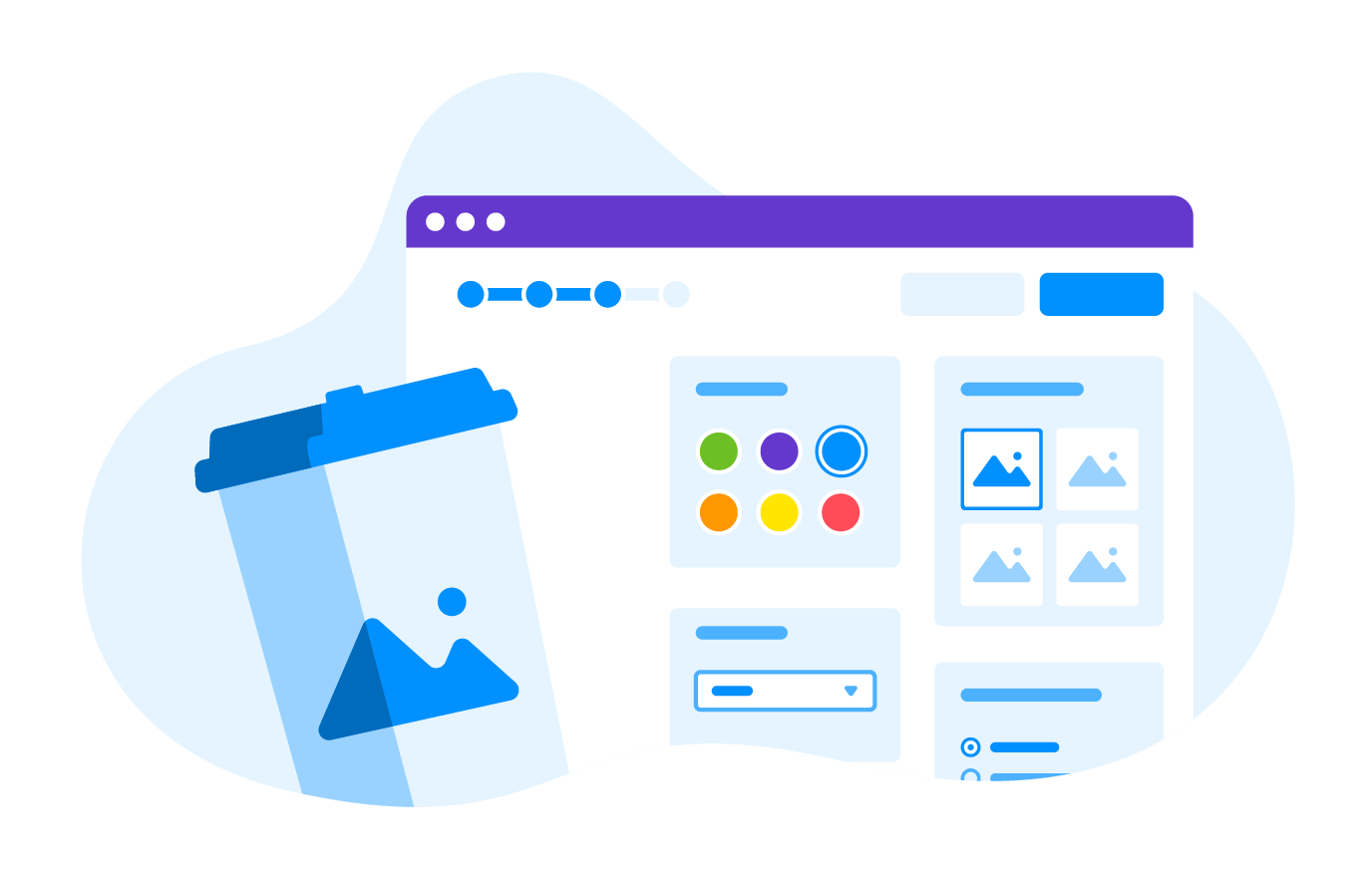
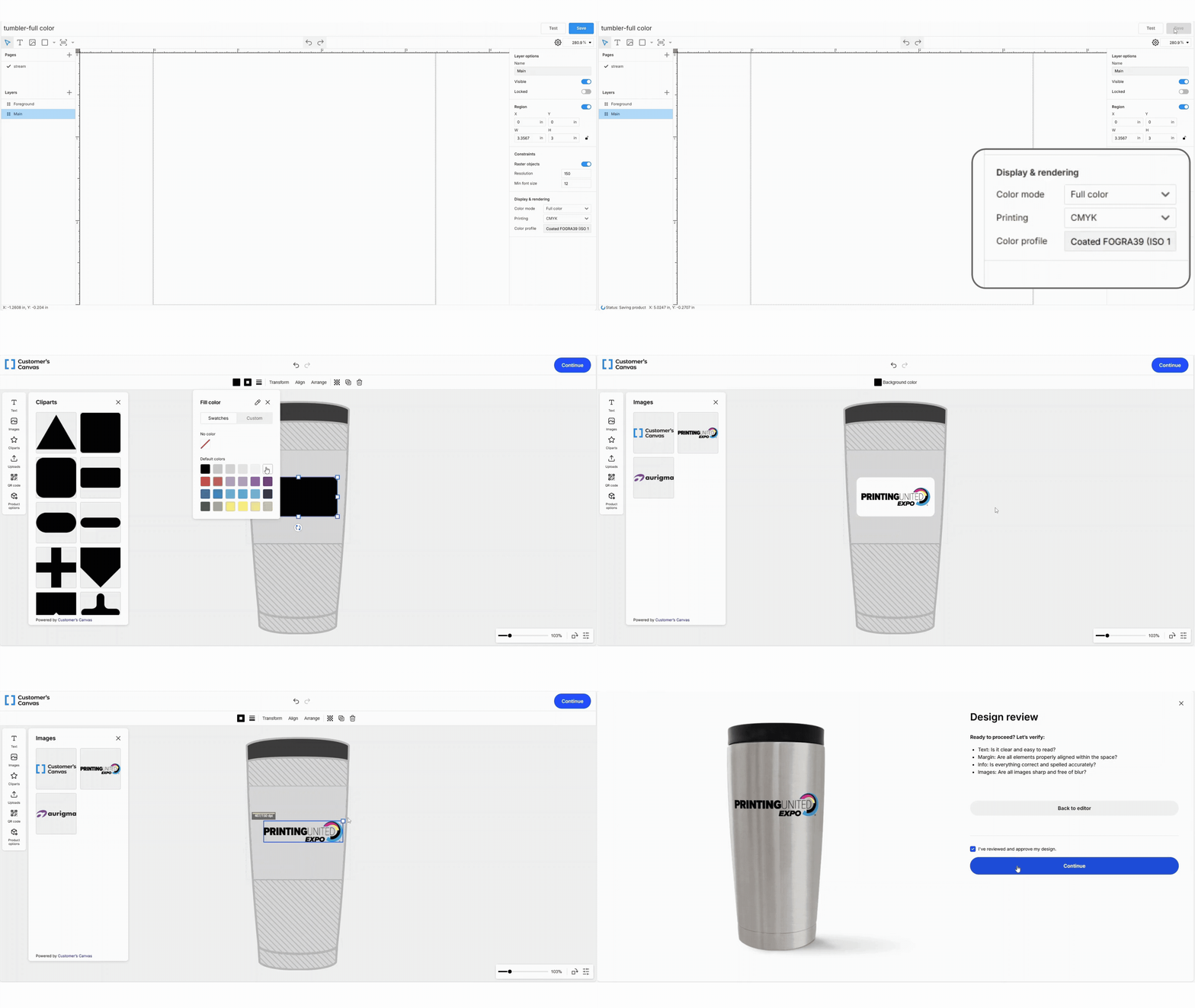
For full-color digital printing, designers can configure templates with the appropriate color space and color profiles from the start. Customers are free to personalize their designs, upload images, and adjust colors, while the editor ensures that everything is handled correctly for print production. What the customer sees on screen is already aligned with how the file will be produced.
Limited-Color Printing
For printing methods with strict color limitations, such as screen printing, those limits are made explicit during the design process itself.
Templates are configured with approved color palettes and a defined maximum number of colors. If a design exceeds the allowed limit, the editor guides the customer to reduce the number of colors by selecting from the approved palette. The order cannot be submitted until the design complies with the requirements of the selected printing technique.
This approach preserves creative flexibility without shifting the burden to production. Customers are guided rather than blocked, and every submitted design is already compatible with the printing method, without manual checks or post-order corrections.

Specialty Techniques
Techniques such as engraving, foil stamping, or embossing require a fundamentally different approach to both preview and output.
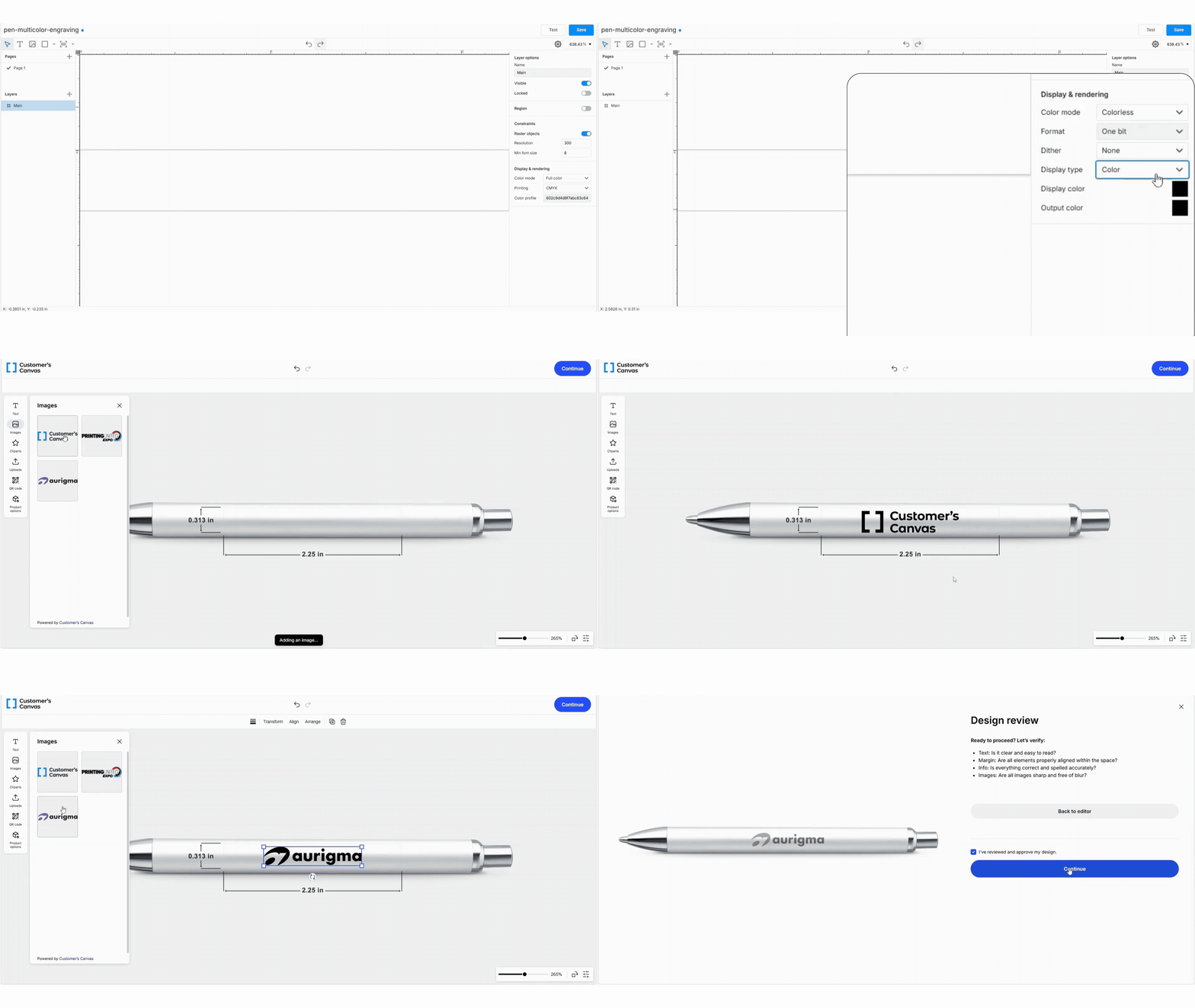
In Customer’s Canvas, these methods can be configured so that designs are automatically reduced to a single-color representation inside the editor. If a customer uploads a multi-color logo, the editor converts it into one spot color, preserving visual contrast through tonal differences rather than color itself.
Gradients, shading, and depth are simulated using dithering. This allows customers to see a realistic preview, instead of a full-color mockup that cannot exist in production.
What matters just as much happens behind the scenes. The final print file is generated using a single spot color, with no need for manual color reduction, file cleanup, or last-minute prepress corrections. What the customer approves online is already compatible with how the product will be produced.
A More Sustainable Way to Scale Web-to-Print
Our hero company’s journey from simple full-color business cards to a diverse catalog of personalized products highlights a clear lesson. Web-to-print doesn’t fail because personalization is hard. It fails when personalization is disconnected from production reality.
Each business must decide which path works best for them — whether to limit customization for complex print methods, build custom logic for every product, or use a platform that aligns design rules with production automatically. The right choice depends on your catalog, team, and growth plans.
The goal of automation is not to let customers do anything. It is to let them do the right things.
When design tools are aligned with the constraints of each printing method, personalization remains flexible for customers while staying fully manageable for production teams. Once this understanding is reached, the story stops being about chaos and starts being about sustainable growth.
Curious how this could work for your business? Get in touch with us, and we can explore your workflow and printing requirements together.