

Ajax
This non-visual widget sends requests to a server and receives responses that can be used in other widgets.
{
  "name": "my-ajax",
  "type": "ajax",
  "params": {...}
}
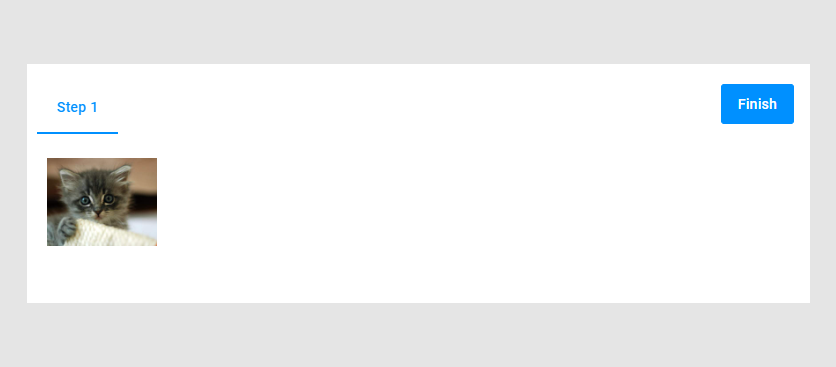
Let's look at an example of populating a gallery with images from another website received through an HTTP request. The resulting gallery may look like this:
Creating a Request
First, define a URL for the request using the url property. In this example, we use a website providing an API for getting images.
{
  "name": "my-ajax",
  "type": "ajax",
  "params": {
      "url": "https://placekitten.com/500/400"
  }
}
Then, define an HTTP method using the method property. In this example, this is the GET method.
{
  "name": "my-ajax",
  "type": "ajax",
  "params": {
      "url": "https://placekitten.com/400/400",
      "method": "GET"
  }
}
Interpreting a Response
When the request is successfully completed, you get a response from the server. Define in what form you expect the response using the responseType property. In this example, we use the URL of a file-like object, blob_url.
{
  "name": "my-ajax",
  "type": "ajax",
  "params": {
      "url": "https://placekitten.com/400/400",
      "method": "GET",
      "responseType": "blob_url"
  }
}
The Response Property
To use the response in a workflow, use the response property of this widget in dynamic expressions.
Continuing the previous example, let's embed the image in the gallery widget.
First, define the gallery widget, and then create a dynamic expression with the $ scope. Use the .response property to get the value.
{
  "name": "my-ajax",
  "type": "ajax",
  "params": {
    "method": "GET",
    "url": "...",
    "responseType": "blob_url"
  }
},
{
  "type": "gallery",
  "name": "my-gallery",
  "description": "Click on an image",
  "params": {
    "items": [
      {
        "name": "image1",
        "previewUrl": "{{ $['my-ajax'].response}}"
      }
    ]
  }
}
Params
| Name | Type | Description | Default value |
|---|---|---|---|
url | string | The URL to which we make a request | |
lock | string | The widget name that should be locked while waiting for the response | empty string |
headers | object | Headers that are sent to a server; key-value pairs | empty object |
responseType | string | Defines the response type: text | json | blob | blob_url | status_code | empty string |
request | any | The request body in the JSON format | |
requests | array | A set of requests to be made | empty array |
method | string | An HTTP method | POST |
enabled | boolean | If false, the request will not be executed | true |
onError | Function[] | Implements a function or an array of functions after a failed request | empty array |
onSuccess | Function[] | Implements a function or an array of functions after a successful request | empty array |