

Checkbox
This widget displays a checkbox.
{
    "name": "agree-checkbox",
    "type": "checkbox",
    "params": {...}
}
Text
This is how a checkbox with text looks. The prompt property shows text near the checkbox.

{
    "name": "my-checkbox",
    "type": "checkbox",
    "params": {
        "prompt": "I approve the design."
    }
}
Checkbox value
The value property defines whether a checkbox is selected or not. In the following example, the value is false.
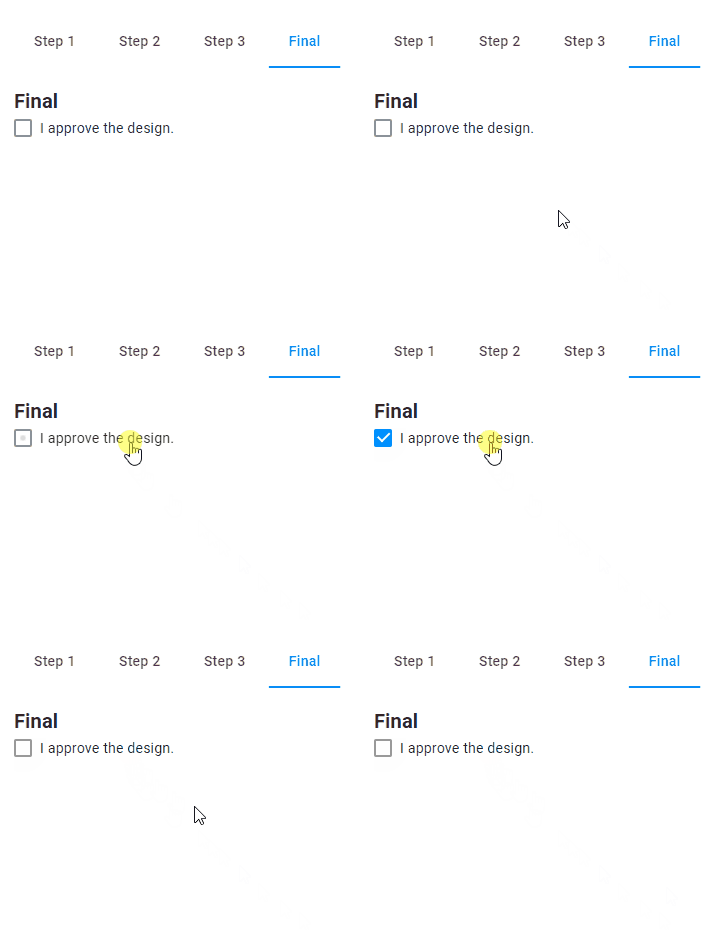
{
    "name": "my-checkbox",
    "type": "checkbox",
    "params": {
        "prompt": "I approve the design.",
        "value": false
    }
}
Managing other widgets by clicking a checkbox
In the following example, we activate the Finish button by a checkbox.
It works because the Finish button refers to the value of the checkbox.
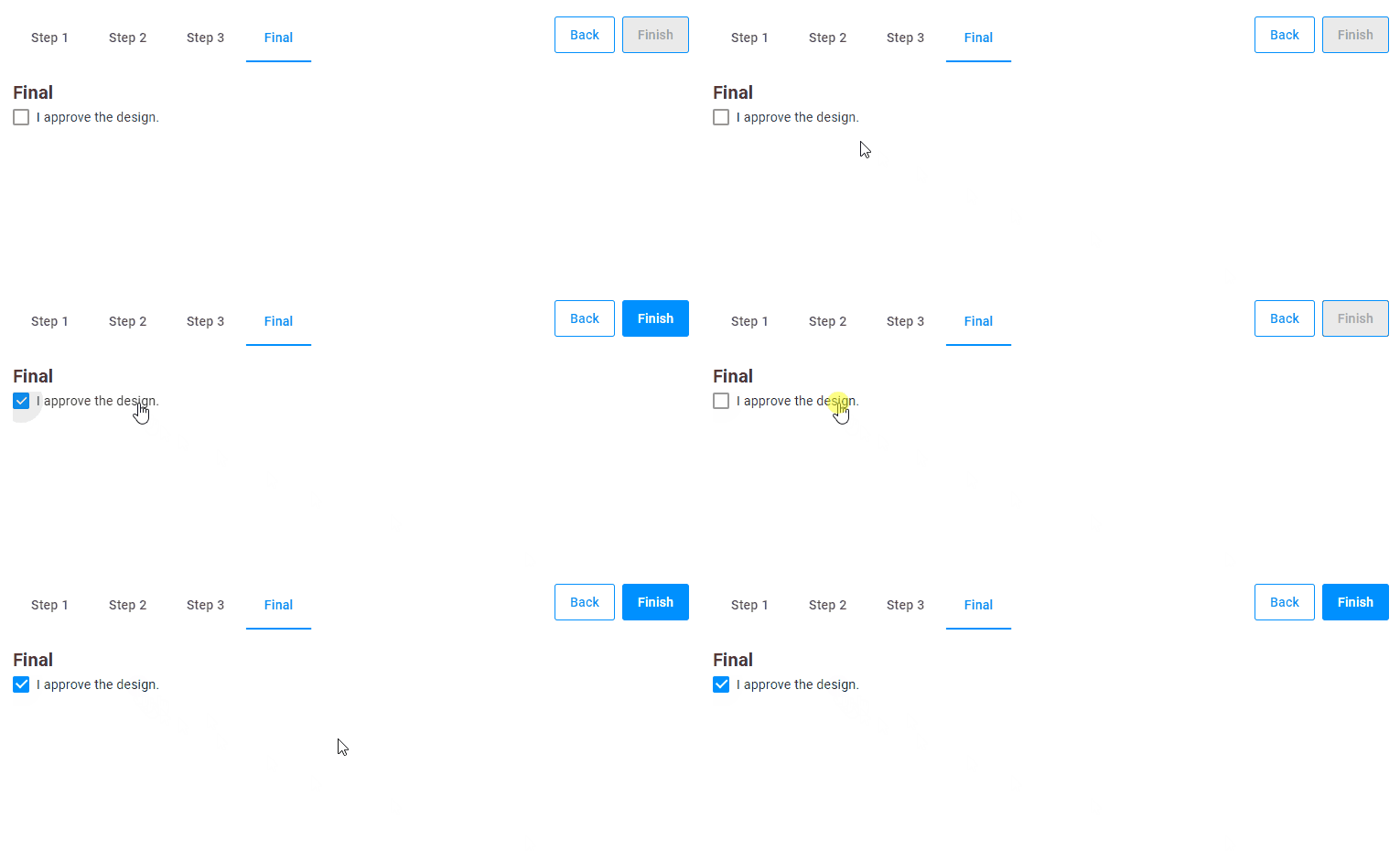
{
    "name": "my-checkbox",
    "type": "checkbox",
    "params": {
        "prompt": "I approve the design.",
        "value": false
    }
},
{
    "name": "my-finish-button",
    "type": "finish-button",
    "params": {
        "enabled": "{{$['my-checkbox']._}}"
    }
}
You can write "{{$['my-checkbox'].value}}" instead of "{{$['my-checkbox']._}}". To learn details about syntax of dynamic expressions, read the Dynamic expressions article.
Auto reset
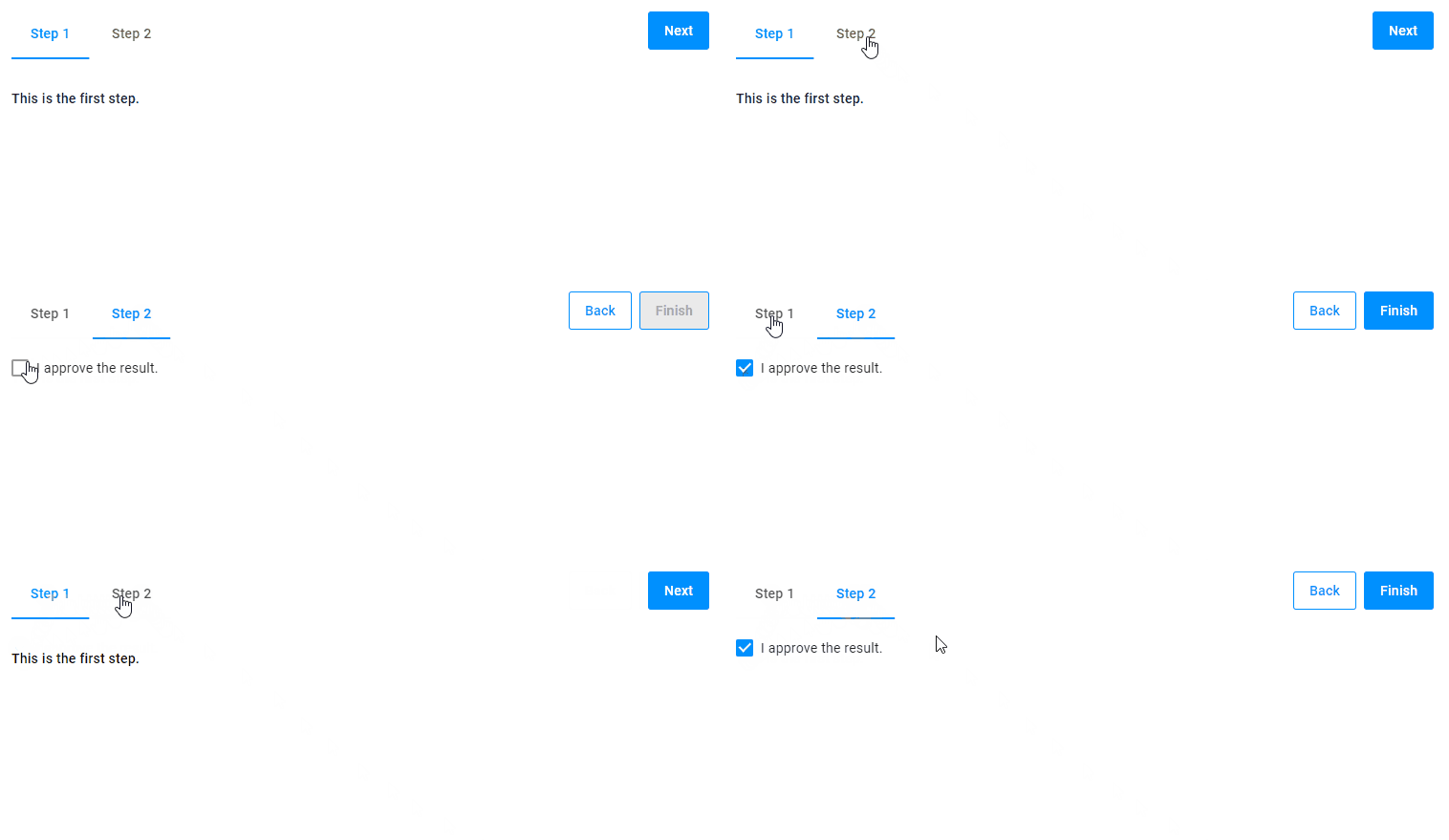
If selected, a checkbox will stay selected, even when you go back to previous steps and then return. This is the default behavior.
If you want to reset the checkbox value in this case, use the autoReset parameter.
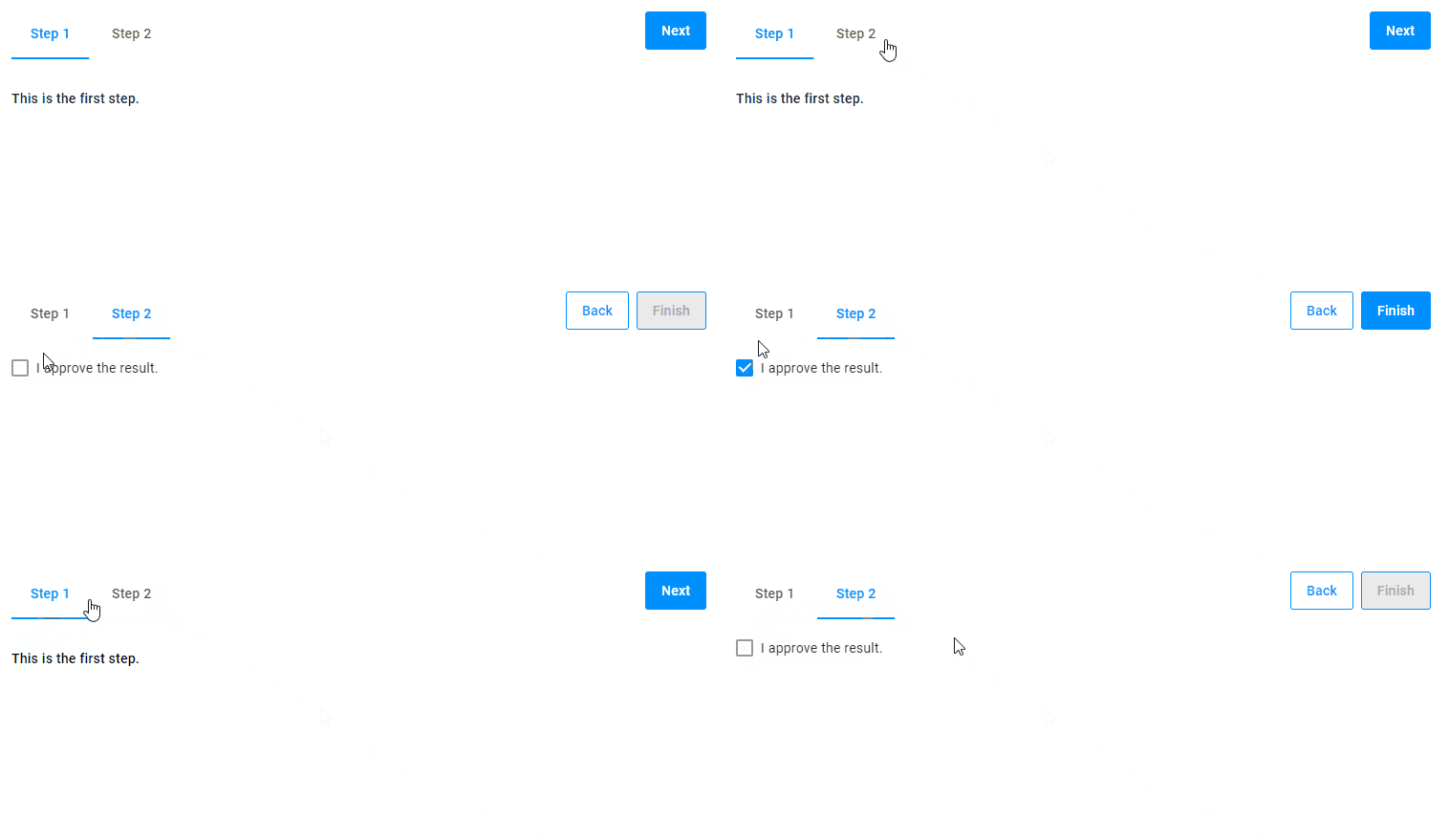
{
    "name": "my-checkbox",
    "type": "checkbox",
    "params": {
        "prompt": "I approve the result.",
        "value": false,
        "autoReset": true
    }
}
Params
| Name | Type | Description | Default value |
|---|---|---|---|
prompt | string | text associated with checkbox | empty string |
value | boolean | if true, the checkbox is selected | false |
autoReset | boolean | if true, it resets the checkbox | false |