

Static text
A widget to display some text.
{
    "name": "my-static-text",
    "type": "static-text",
    "params": {...}
}
Text
This is a simple widget displaying some text in the user interface. To add text, use the text property.

{
    "name": "my-text",
    "type": "static-text",
    "params": {
        "text": "Hello, world!"
    }
}
Title
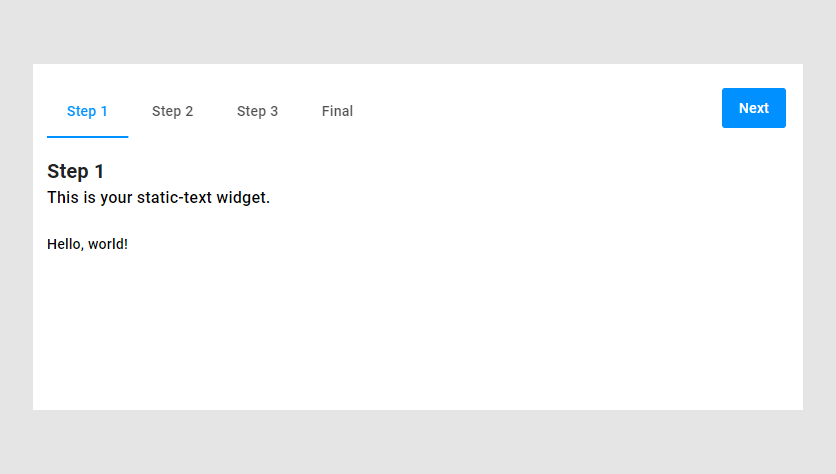
Like other widgets, static-text allows you to enable a title.
{
    "name": "my-text",
    "title": "This is your static-text widget.",
    "type": "static-text",
    "params": {
        "text": "Hello, world!"
    }
}
Displaying the content of another widget
You may want to display values of another widget for debug purposes or just to visualize them.
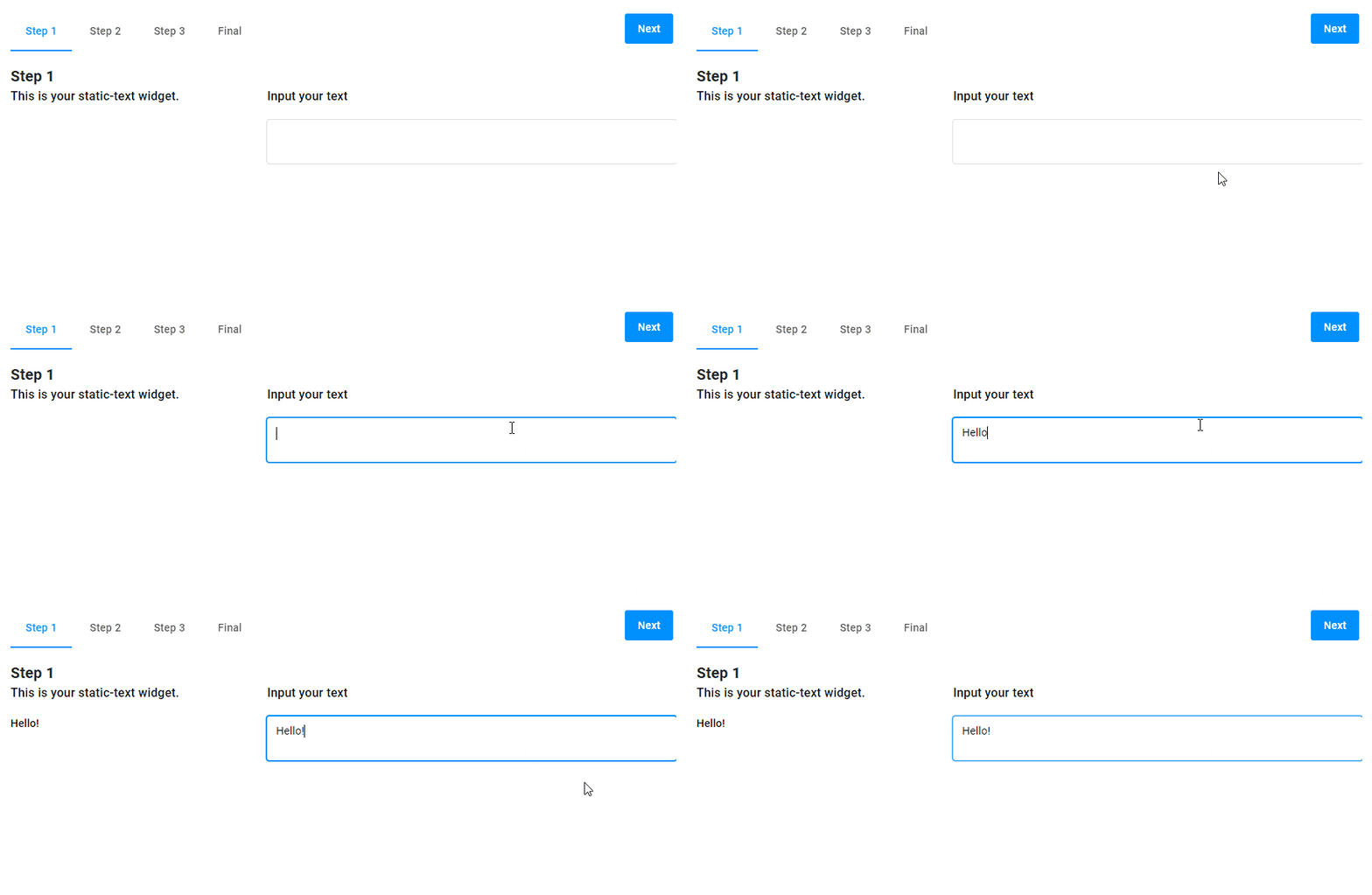
To refer to another widget's value, you can use the {{$['widget-name']._}} syntax in the text param. In the following example, we display the string entered in the input-text widget.
{
    "name": "my-text",
    "title": "This is your static-text widget.",
    "type": "static-text",
    "params": {
        "text": "{{$['my-input']._}}"
    }
},
{
    "name": "my-input",
    "type": "input-text",
    "title": "Input your text",
    "params": {
        "isTextArea": true
    }
}
Params
| Name | Type | Description | Default value |
|---|---|---|---|
text | string | text to be displayed | empty string |